Remote therapeutic monitoring · For practice owners
Remote therapeutic monitoring for mental health practices
Medicare now pays for therapy work that happens between appointments. Whether your practice collects that payment depends less on the billing codes than on a plain question: can you run the whole month, for a full caseload, without it eating your evenings? This page is for the practice owner weighing that question. It describes what CopingCard handles, from the client's phone to the file your biller receives. The rules themselves are covered in the remote therapeutic monitoring guide.
Why therapy practices struggle with RTM
The program was designed around hardware. A cuff or a scale reports numbers on its own schedule, and the monitoring follows. Therapy has no such stream. What a client does in CBT is an assignment: a thought record, an exposure, a diary. It exists when someone has shown the client how, set the task, and checked the result.
Two kinds of software usually sit in a practice, and neither closes the gap. Your electronic health record keeps appointments, notes and claims, yet it cannot see a client's week. A device app made for vital signs does see activity, yet it knows nothing about therapy, so the "data" is a number with no clinical meaning.
Then comes the paperwork. Each client needs a monthly tally of days, minutes by date, proof of a live conversation, consent, a plan of care, the right combination of codes and a trail for any audit. Done by hand for twenty or forty clients, that becomes a job in itself, and a single missed detail can sink a claim.
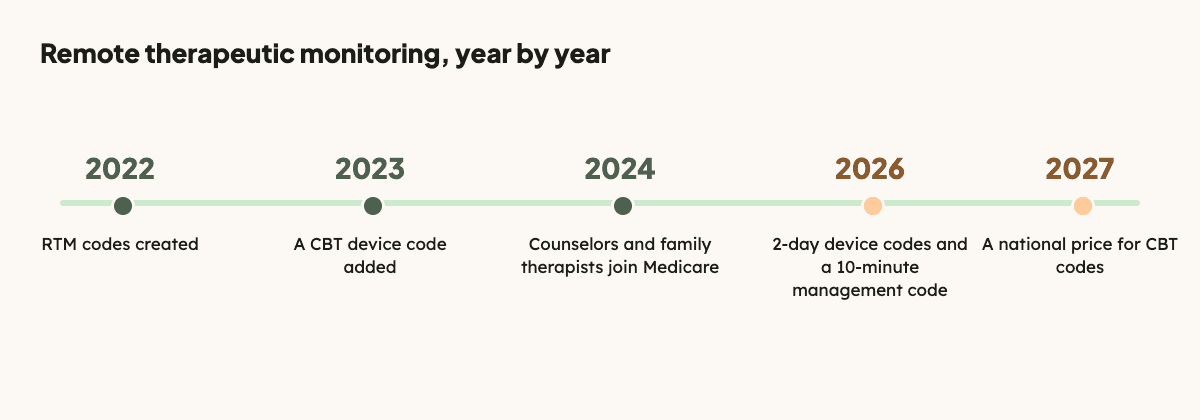
The rules did get friendlier for talk therapy. The timeline shows how, and the guide explains each step.
For the codes, the amounts and the fine print, read the full history and the codes.
The foundation: a CBT platform your clients and you already use
CopingCard began as a platform for CBT practices. Monitoring is a layer added to work that was already happening.
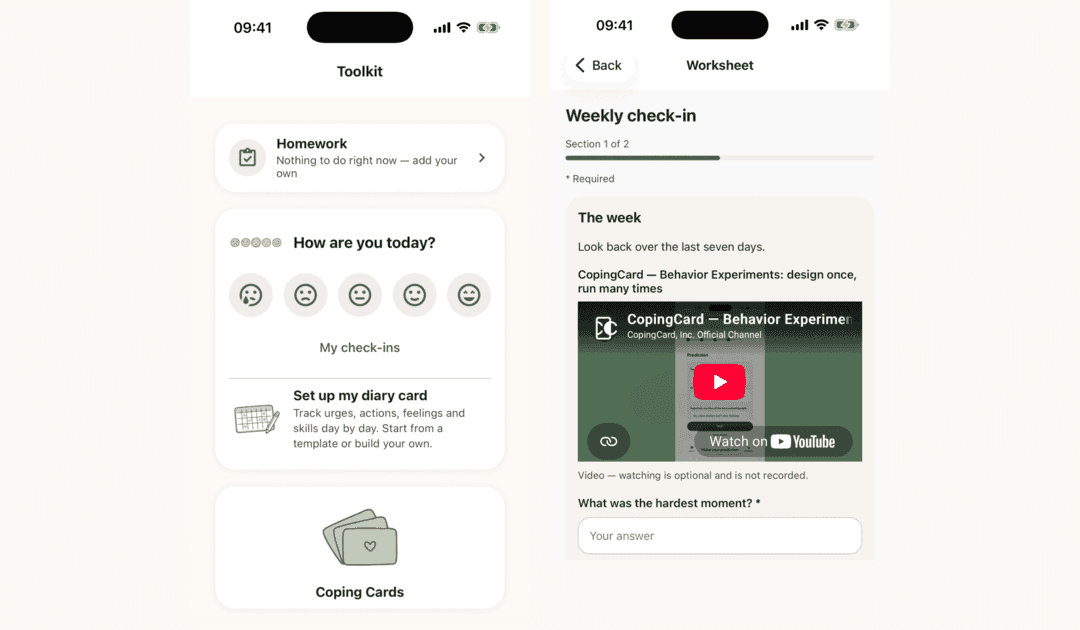
What your client holds in the app
On a client's phone: over 20 CBT tools, among them thought testing, exposures, a diary for rest and behavior experiments, plus questionnaires like the PHQ-9 and GAD-7, over 70 ready-made worksheets, and homework that sends reminders. People open it to do what you assigned. That activity, not a number typed in for the sake of a claim, is what monitoring rests on.
What you do in the portal
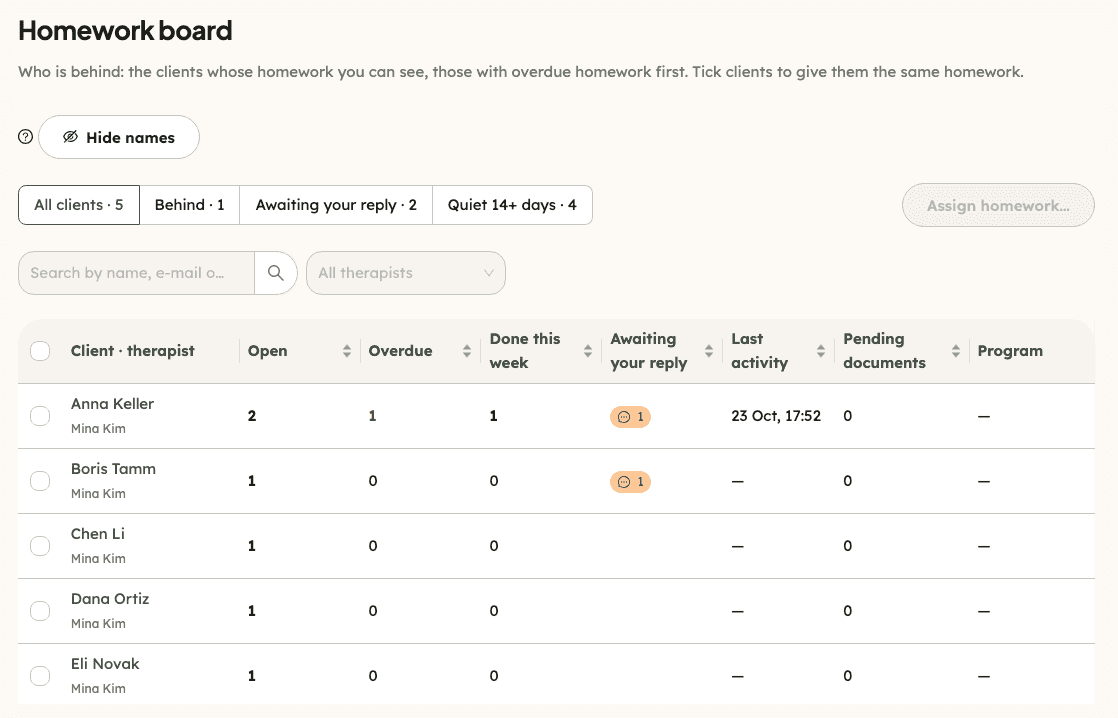
The portal is where you teach a tool in session, hand out homework drawn from the tool library, and follow who is falling behind. Start from the library of over 70 ready-made worksheets, design your own, or bring in a blank form you already use. Group assignments into a program when a workflow repeats, such as intake paperwork or a protocol you run regularly.
Without that base, RTM is one more form each month. With it, the month builds up from the work your clients are already doing.
On top of it: the RTM month, kept automatically
Everything below happens as a by-product of the work. Nobody keeps a spreadsheet.
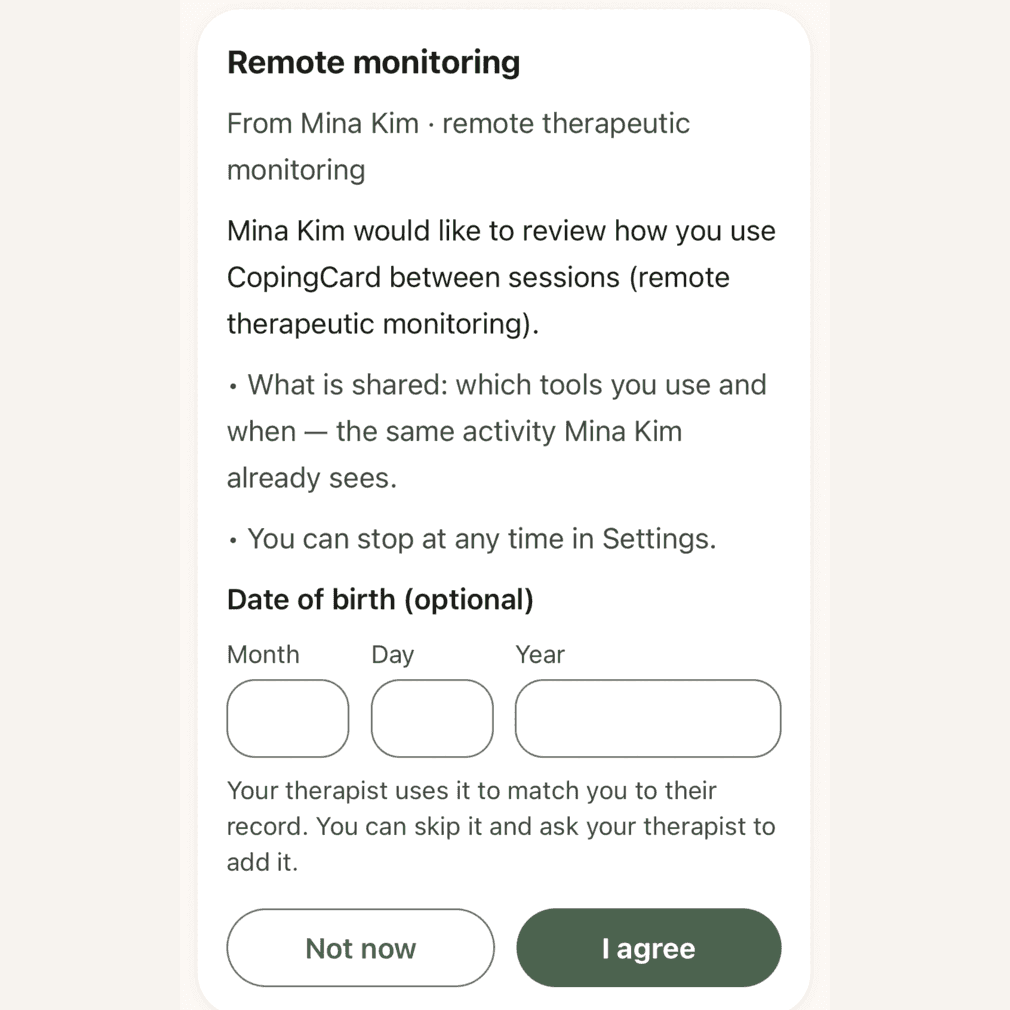
1. Consent on the record from the start
A client can agree on their own phone, or you can record a verbal agreement in the portal. Either way the date is kept, and monitoring begins afterward.
2. Where every client stands
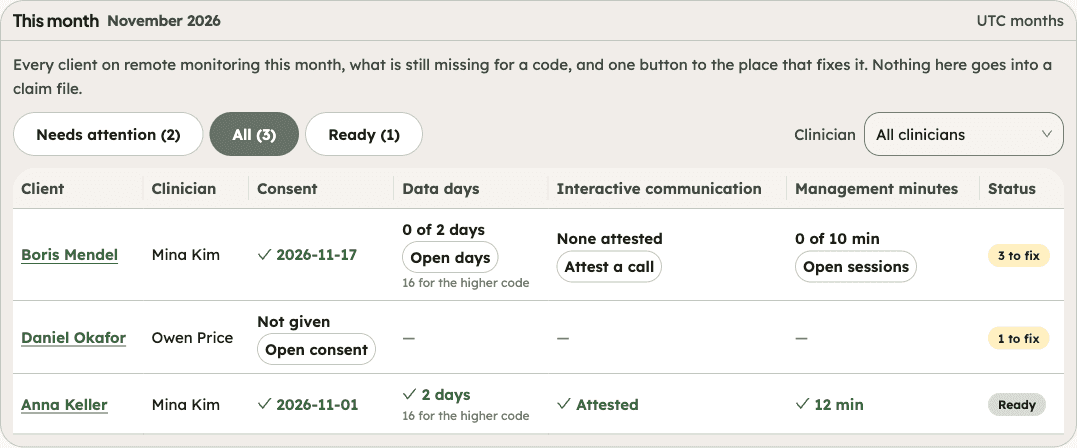
One view shows each client's position: days of activity set against the 2-day and 16-day marks, your review minutes set against the 10 and 20 minute marks, and a note of whether you have spoken with the client live. A client who is slipping is visible with time left to send a nudge.
3. Your time and calls, by day
Minutes you spend reviewing, and the conversations you have, are logged against the date they happened. A video call placed inside CopingCard needs no extra step to register. A phone call gets logged and attested. Texts and e-mails do not qualify under the rules, so the software never counts them.
4. A single answer when the month closes
When the month ends, each client's entry states the codes the month supports and whatever is still missing. One clinician takes responsibility for a client's month, so two colleagues never claim the same one.
5. A file your biller can use
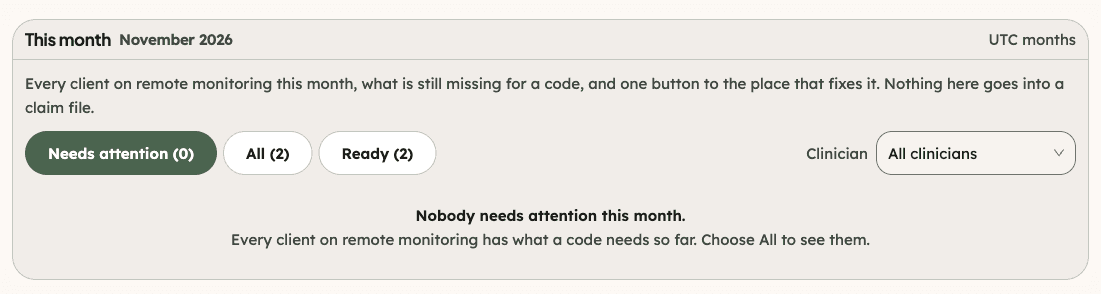
Claim lines go out as a CSV. Each client-month has its own audit packet as a PDF, and a whole month can be downloaded in one ZIP. The conversation with your biller shrinks to sending a file.
6. Prepared for 2027
Starting January 1, 2027, a client new to RTM needs an initiating visit. In CopingCard that visit becomes one attested line in the client's record: the date, the setting (in the room or by video), the clinician who held it, and the statement that RTM came up. The line then travels with the month into the biller's file and the packet.

7. Made for a group practice
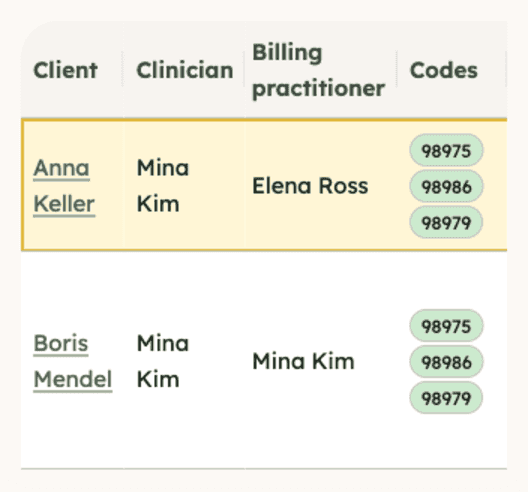
Administrators can open every client's month, and each clinician sees their own caseload alone. A practice-wide list shows each client with the clinician and the codes their month supports, and surfaces the months that need attention, so nothing sits unclaimed.
Through all of this the client stays in charge. From their own Settings a client can end remote monitoring, and you see that it stopped.
Skip the months that lead nowhere
A practice that takes on RTM by itself usually loses time twice. First come months of reading rules, drafting consent wording and planning how to keep records and bill. None of that makes a single claim possible: RTM pays only for monitoring done through software that meets Medicare's definition of a device. Building such software means starting a software business, with clinical, regulatory and engineering expertise that takes years to gather.
Then come months, and money, spent on monitoring vendors whose apps were built for physical therapy exercises, blood pressure or steps. Those apps lack the evidence-based tools CBT needs, such as the ABC model, thought testing, coping cards, behavior experiments and exposures, so clients have nothing to work on between sessions and the months stay empty.
CopingCard is years ahead of that path. The device is the CBT app your clients use between sessions, with those tools already in it. Consent, the plan of care, the day-by-day record and the file for your biller are already in the portal. Enroll a client at their next session, and their RTM month begins that day.
Common questions from practice owners
Does the software count a text message as a live conversation?
No. Texts and e-mails do not qualify under the rules, so the software never counts them. A video call placed inside CopingCard registers as a call, and a phone call gets logged and attested.
Who claims a client's month?
One clinician takes responsibility for a client's month, so two colleagues never claim the same one.
What does my biller receive?
Claim lines go out as a CSV. Each client-month has its own audit packet as a PDF, and a whole month can be downloaded in one ZIP.
What is needed from January 1, 2027?
A client new to RTM needs an initiating visit. In CopingCard that visit becomes one attested line in the client's record: the date, the setting, the clinician who held it, and the statement that RTM came up.
See what it means for your practice
- Open the RTM calculator to see how much Medicare revenue RTM could add for you, with every assumption shown.
- Want something to circulate among colleagues? Get the white paper.
- Book a 30-minute call to see it with your own caseload in mind.
General information, not billing or legal advice. Have your biller check codes and eligibility with your Medicare contractor; private and Medicare Advantage insurers each write their own RTM rules.