

Change your name, language or time zone
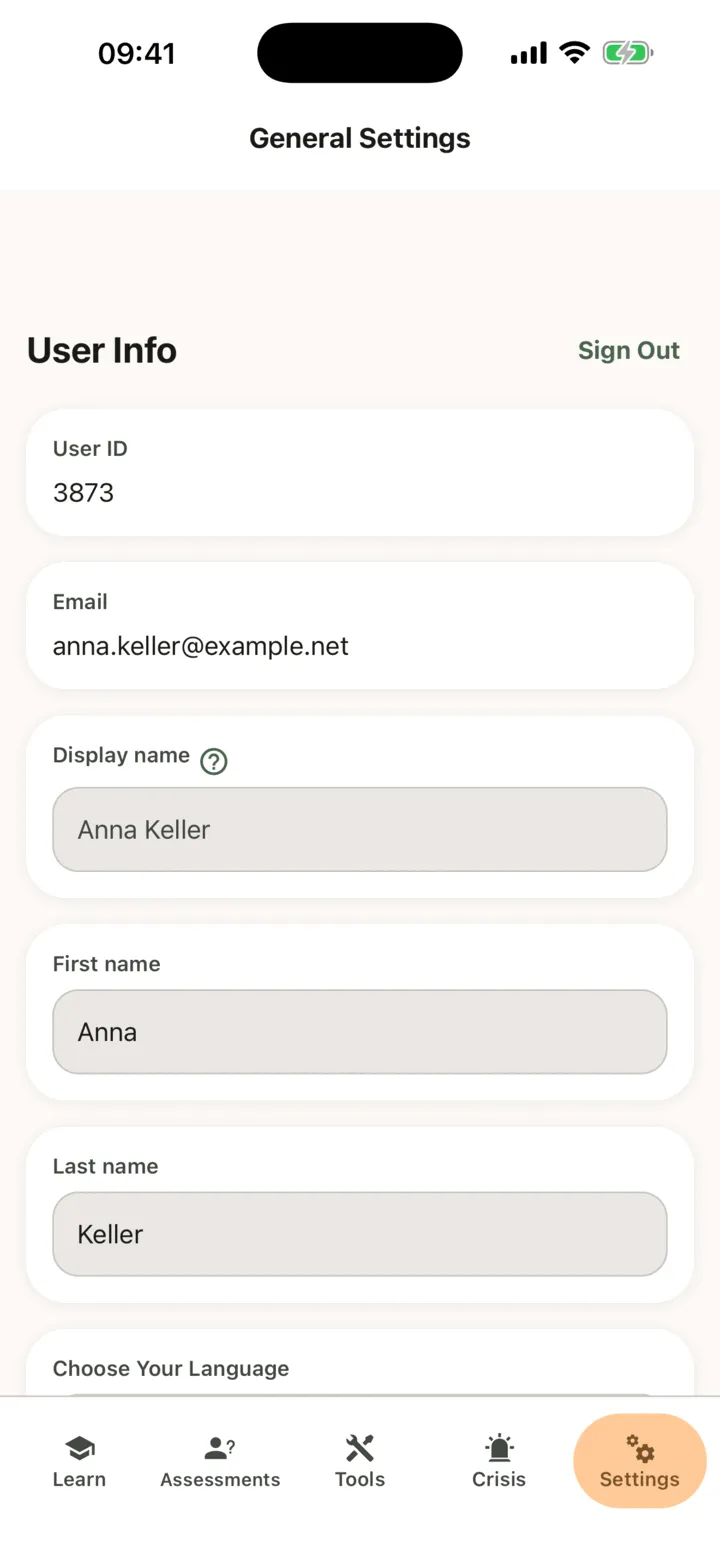
You change your details in the app, on the Settings tab. You can change your first name, last name, language and time zone. Your e-mail address and User ID are shown but cannot be changed here.
Change your details
Section titled “Change your details”- In the app, tap the Settings tab.
- Under User Info, change First name or Last name.
- To change the language, tap the language under Choose Your Language and choose English or Russian.
- To change the time zone, tap the Timezone field, search by country or time zone under Search Country or Timezone, and tap your time zone.
- Tap Save Settings.
Save Settings works once you have changed something and the entries are valid. The app changes language when it has saved. Your reminders use your time zone.
The Display name comes from Google or Apple, the account you used to sign in, and you cannot edit it here. Your therapist, and the admins of their practice, see your name on the practice’s client list.
Sign out
Section titled “Sign out”Tap Sign Out at the top of User Info.