

Add a therapist to your practice
A practice admin can invite colleagues to the practice, change their role and remove them. The Practice menu and the Practice Member choice are only shown to practice admins.
Invite a colleague
Section titled “Invite a colleague”- In the portal menu, click Practice, then Users, then click Invite. You can also click Invites, then Create.
- Choose Practice Member under Who do you want to invite?.
- Under What role do you want to invite them as?, choose Practice User or Practice Admin.
- Enter their Email, First Name and Last Name.
- Click Send Invite.
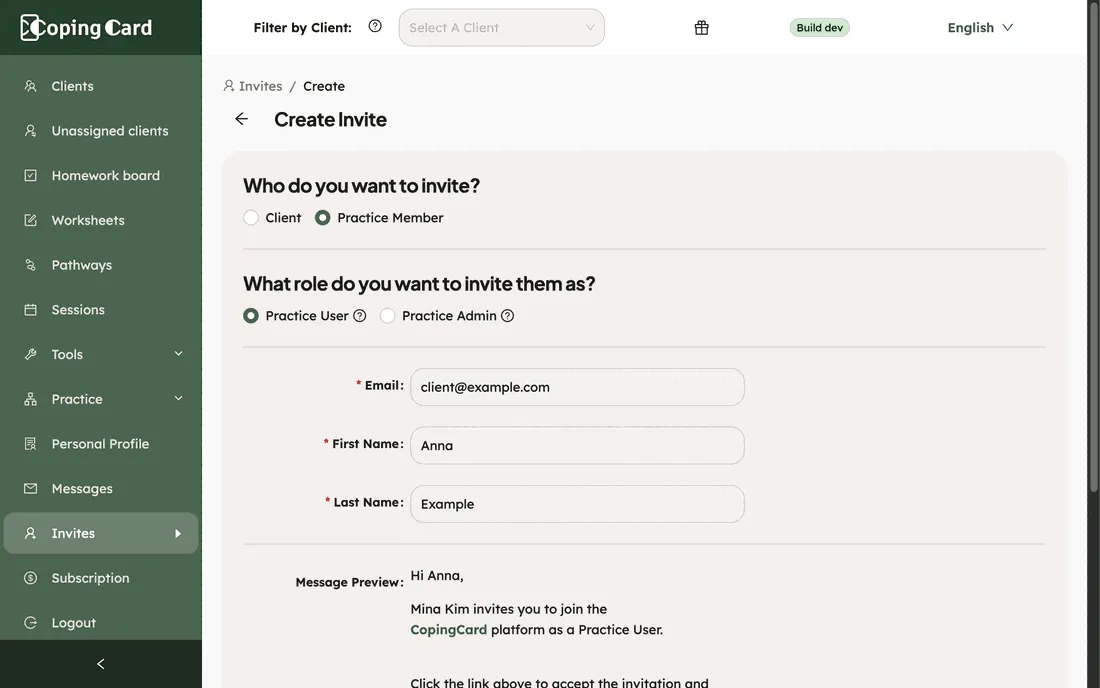
The two roles differ like this:
| Role | What they can do |
|---|---|
| Practice User | Works with their own clients. |
| Practice Admin | Everything a practice user does, and manages the other users, the practice details and the subscription. A practice admin also works with the clients who allow practice admins to view or edit their data. |
CopingCard e-mails the invitation, and it shows in Invites until it expires after four weeks. Your colleague opens the link in the e-mail and signs up or signs in. Whether they sign up or sign in, in step 3 of Set up your practice, the practice code is already filled in, and they click Finish. The e-mail also shows the code, in case they need to type it.
See your team
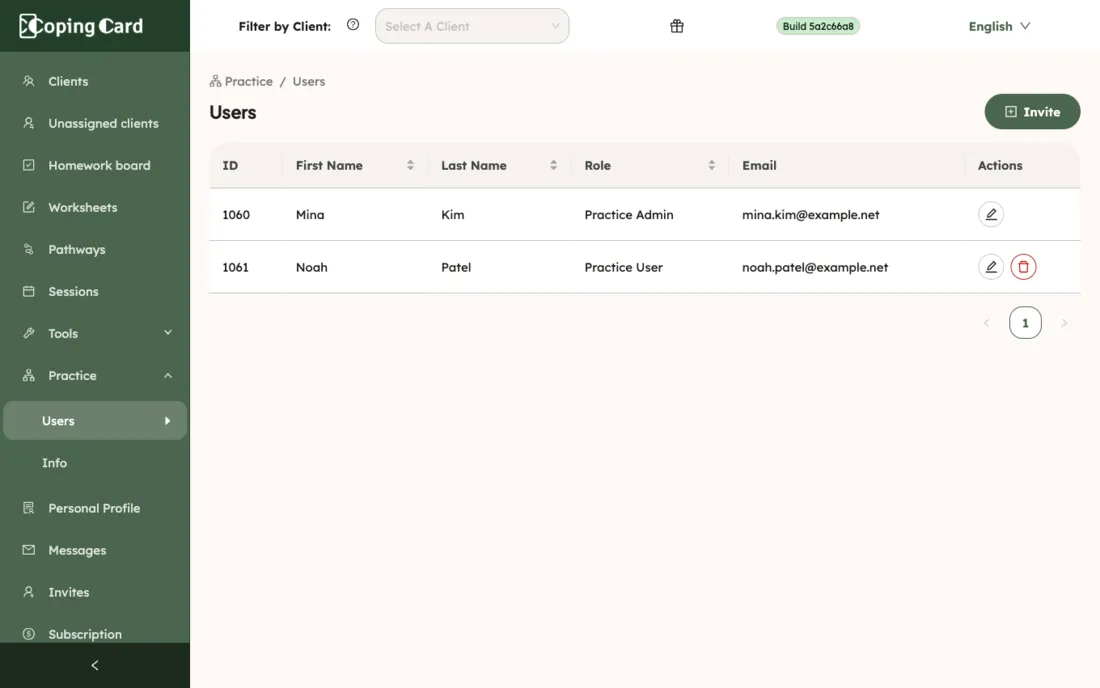
Section titled “See your team”Click Practice, then Users. The list shows each person’s Role and Email.
Change someone’s role
Section titled “Change someone’s role”- Click Practice, then Users.
- Click the edit icon in their row.
- Choose the new Role. You can also change their First Name and Last Name.
- Click Save.
You cannot change your own role.
Remove someone from the practice
Section titled “Remove someone from the practice”- Click Practice, then Users.
- Click the remove icon in their row and confirm.
You cannot remove yourself. The person keeps their CopingCard account but leaves your practice. The clients they were working with are released to Unassigned clients, where you can ask each client to move to a colleague. The clients’ data and sharing choices are not changed.