

Move a client to another therapist
A practice admin can ask a client to move to another therapist of the practice. The client decides: they are asked in the app, and the move only happens when they approve it. This applies to clients who use the app.
Ask a client to move to a colleague
Section titled “Ask a client to move to a colleague”- In the portal menu, click Clients.
- In the client’s row, click the icon with two arrows. Non-app clients do not have it.
- In the window Transfer this client, choose the colleague under Choose a practitioner.
- Click Send the request.
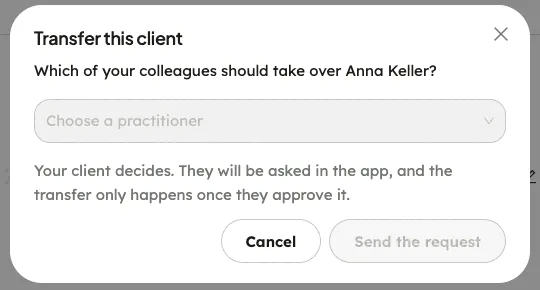
The window then says the client has been asked. Nothing changes until they approve.
Give an unassigned client a new therapist
Section titled “Give an unassigned client a new therapist”When you remove a therapist from the practice, their clients are released to Unassigned clients. Their accounts, data and subscriptions are not changed.
- In the portal menu, click Unassigned clients.
- In the client’s row, click Assign.
- In the window Assign a practitioner, choose the therapist under Choose a practitioner, then click Assign.
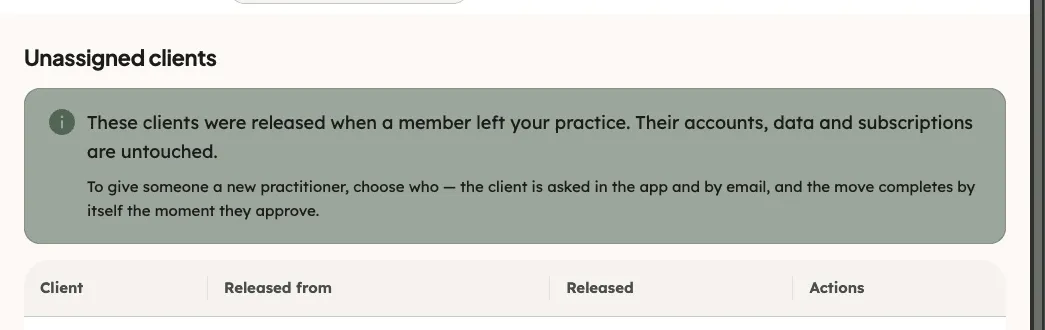
The client is asked in the app and by e-mail. The client’s row then shows that a request is waiting for their approval. To ask a different therapist instead, choose another practitioner and send a new request.
What happens next
Section titled “What happens next”- The client is asked in the app. They can approve, or choose Not now.
- When the client approves, the move completes by itself and you are e-mailed.
- If the client does not approve, the request stays open. You are not told about a decline.
- Whatever the client decides, their cards, thought tests and test results stay theirs.