

Find a therapist and send a message
The directory lists therapists who use CopingCard and whose profiles CopingCard has approved for the directory. You can search it in the app and write to a therapist from their profile.
Search and write
Section titled “Search and write”-
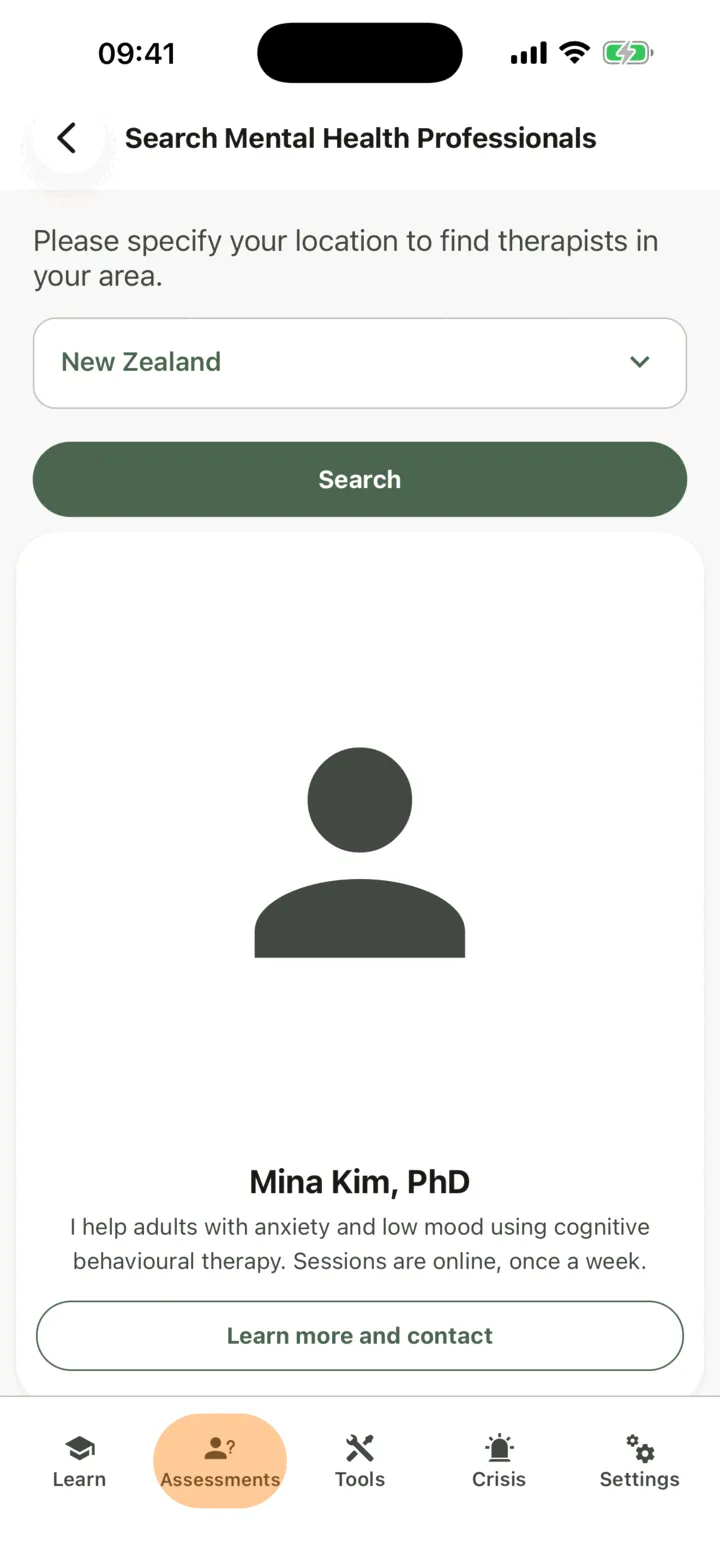
In the app, tap the Assessments tab, then tap Search Mental Health Professionals.
-
Tap Your Country and choose your country. In the United States, also choose Your State.
-
Tap Search.
-
Tap Learn more and contact on a result to open the profile.
-
Read the profile. If the therapist gave a phone number, Call opens your phone’s dialler.
-
Tap Send Email.
-
If the app does not have your name yet, it asks for your First name and Last name.
-
Type your text in Enter Your Message, then tap send.
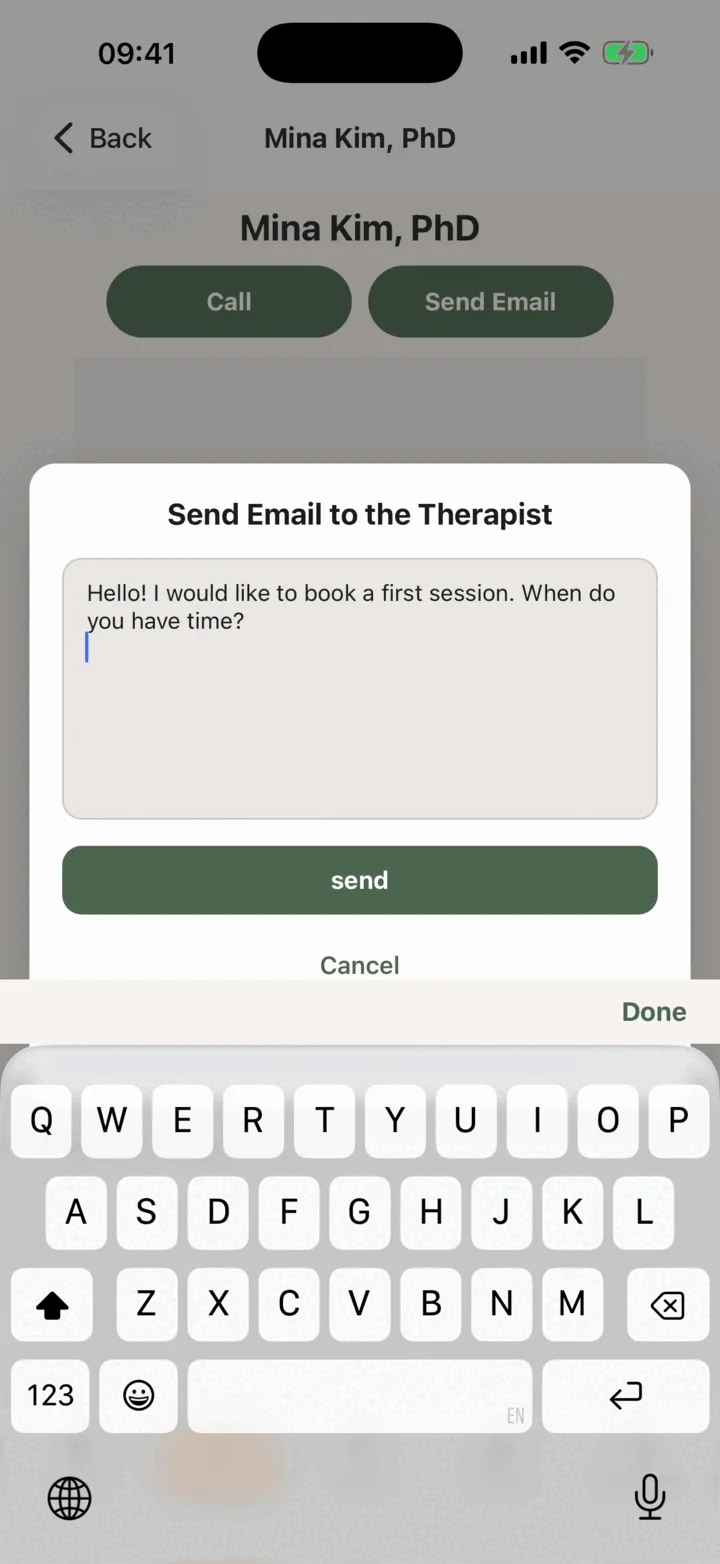
The app shows Message sent successfully for a few seconds.
What happens next
Section titled “What happens next”- The therapist gets an e-mail to tell them a message has arrived. They read it in the portal, where it shows your name and your e-mail address. They reply to you by e-mail.
- Sending a message does not connect you to the therapist and does not share anything from your app. To share your work, you and the therapist connect in the app.
- The therapist may not read the message straight away, so do not use it to ask for urgent help.
- If you later delete your account, the message stays with the therapist, marked as from a deleted client.