

Watch a video from your therapist
Your therapist can give you a video to watch as homework: a video from CopingCard’s Learn section, or a YouTube or Vimeo video they chose. You watch it in the app, and when you have watched it to the end, the homework is marked done by itself. There is no Mark done for a video.
Watch the video
Section titled “Watch the video”- On the Homework list, tap the video homework.
- Tap Open.
- Play the video and watch it to the end.
- For a YouTube or Vimeo video, tap Close.
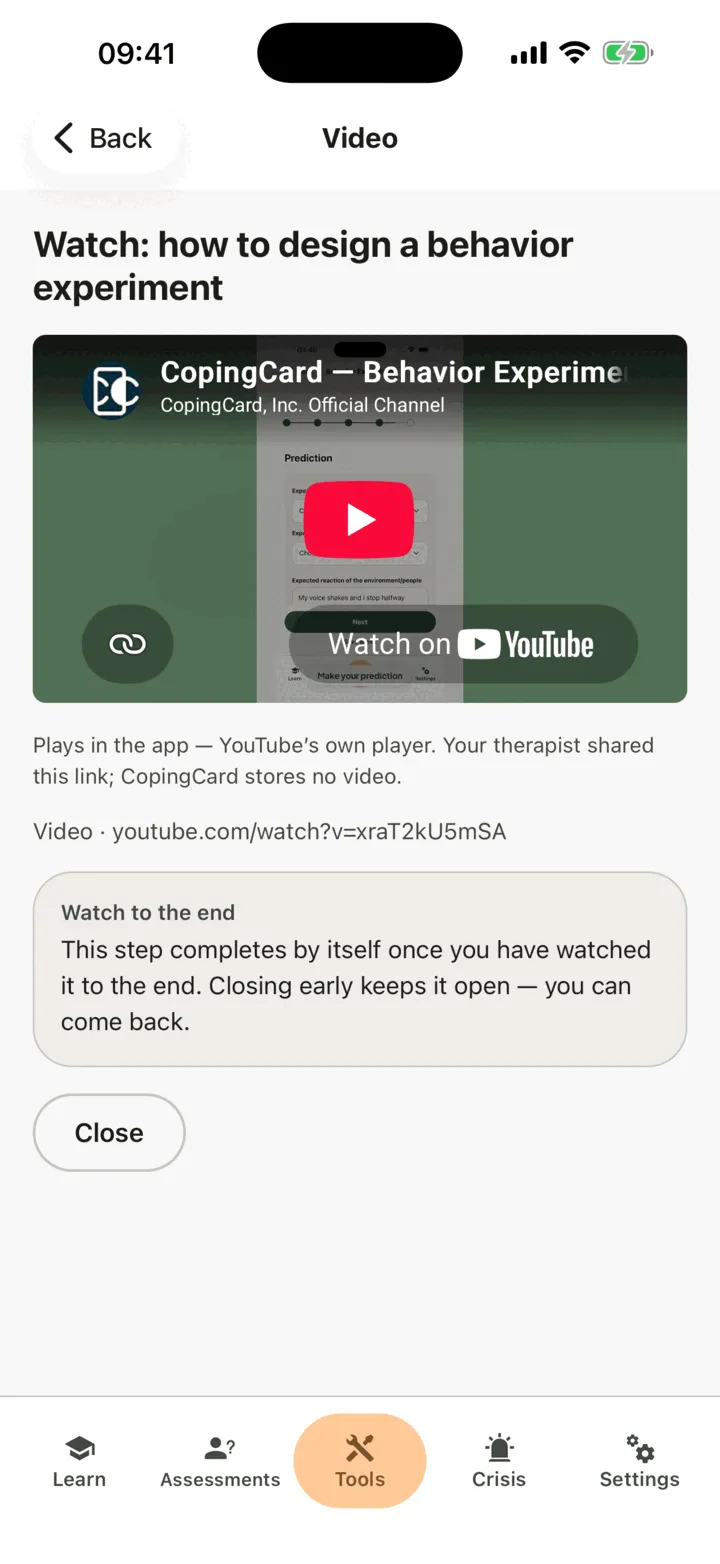
Back on the homework, a moment later it shows done.
A YouTube or Vimeo video plays in YouTube’s or Vimeo’s own player inside the app. CopingCard does not store the video. A video from CopingCard’s Learn section opens in Learn, at that video: watch it to the end there. It counts the same way.
What counts as watched to the end
Section titled “What counts as watched to the end”- You need to reach the end of the video, and most of it needs to have really played. Skipping ahead to the end does not count.
- If you close the video before the end, the homework stays open. You can come back and watch it again from the start.
- If you lose your connection, what you watched is kept on your phone and sent when you are back online. If you watched it to the end, the homework is then marked done.
If the video does not play
Section titled “If the video does not play”If the app says the video cannot be played here, it may have been removed, or its owner lets it play only on other sites. Ask your therapist for a new link.