

Find and do your homework
Your homework is on the Tools tab of the CopingCard app, under Homework. It holds what your therapist gives you and anything you add for yourself. You need the latest version of the app: if there is no Homework on the Tools tab, update CopingCard from the App Store or Google Play.
Find your homework
Section titled “Find your homework”- Open the Tools tab.
- Tap the Homework card.
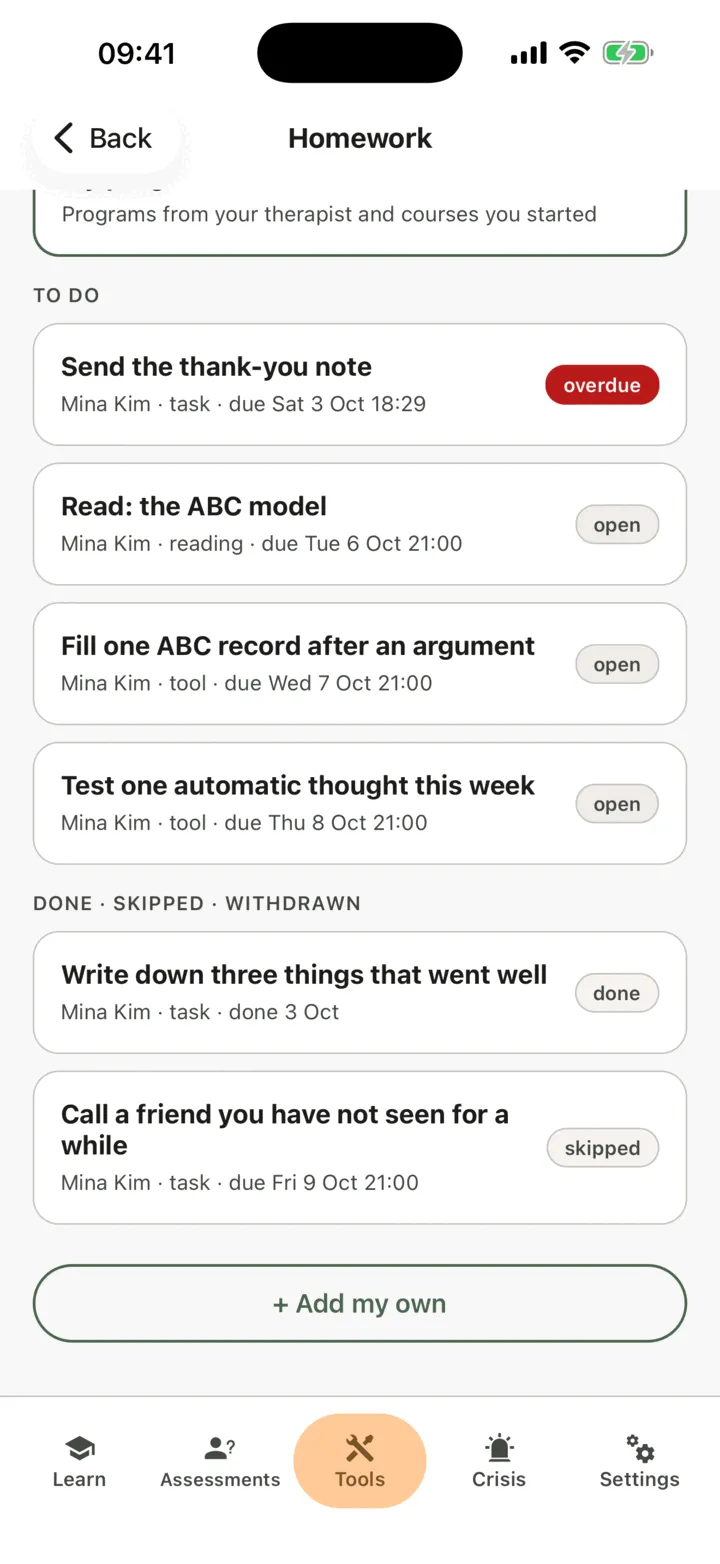
The list starts with To do. Below it, Done · skipped · withdrawn keeps what you have finished or skipped, and what your therapist withdrew. Each piece shows who gave it, what kind it is and when it is due. A piece that is past its due time is marked overdue in red.
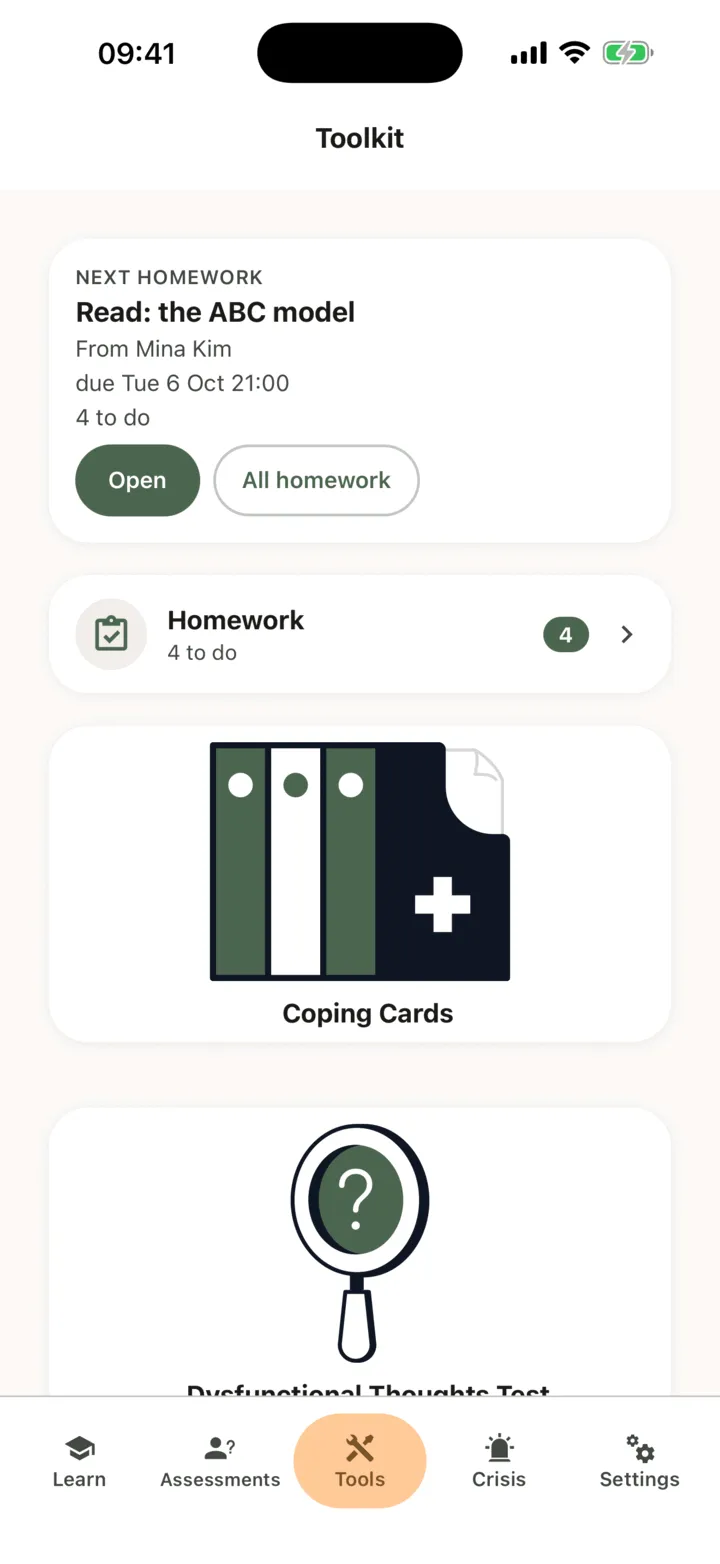
When you have homework to do, the Next homework card near the top of the Tools tab shows the piece that is due first. Tap Open on the card to go straight to it, or All homework to see the list.
When your therapist gives you homework, changes it or withdraws it, CopingCard sends you a notification. If a notification cannot reach your phone, you get an e-mail instead. Tap it to open the homework.
Do a piece of homework
Section titled “Do a piece of homework”- On the Homework list, tap the piece of homework.
- Read Instructions, if there are any, and What to do.
- Tap Open to go to what the homework asks for: a tool, a questionnaire, a worksheet, an article, a video or a web page.
- Do it there, then come back to the homework.
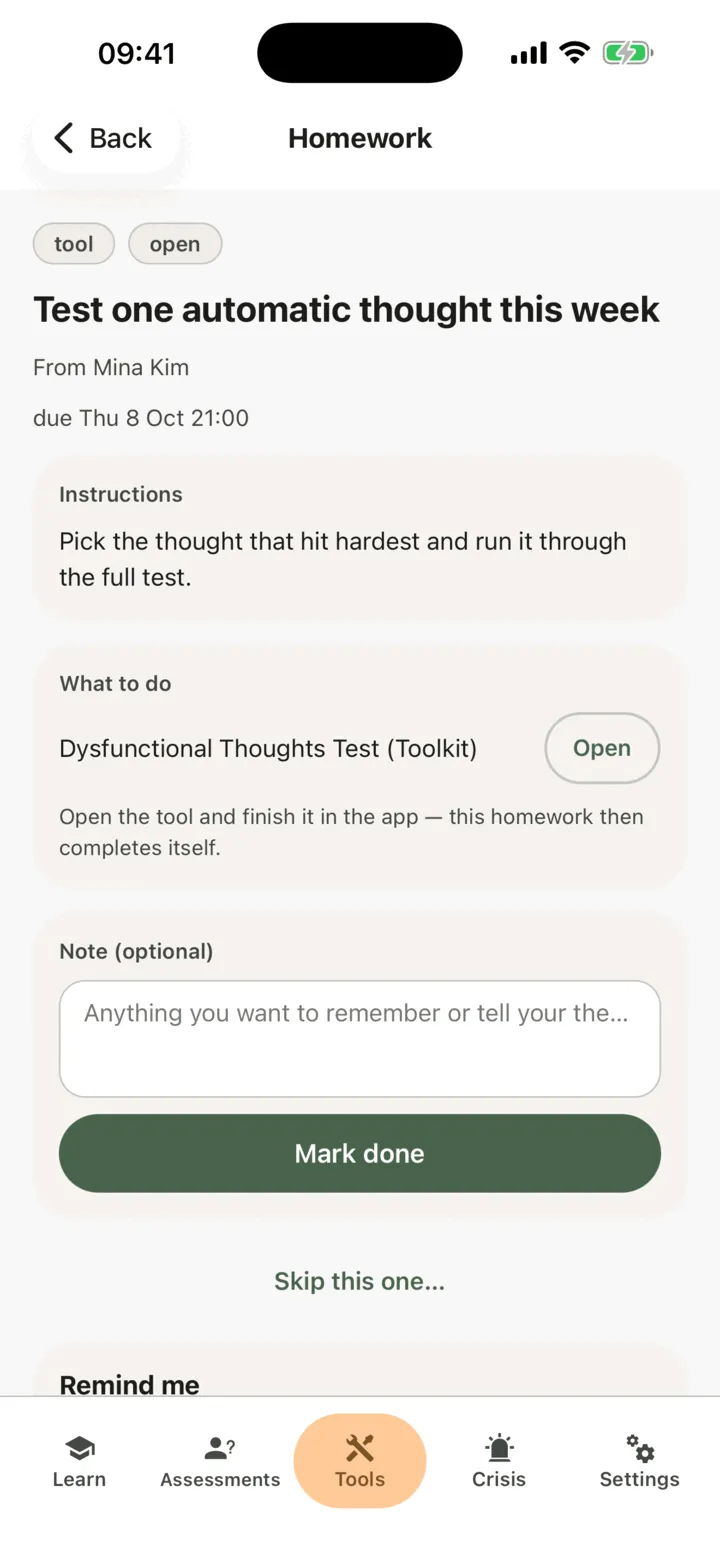
How the homework is marked done depends on its kind, shown at the top of the homework:
| Kind | How it is marked done |
|---|---|
| tool | By itself, when you finish the tool in the app, or when your therapist does it with you in the portal. If your therapist allowed paper for it, you can add a photo of the sheet instead. |
| questionnaire | By itself, when you finish the questionnaire. |
| worksheet | By itself, when you send the form. A form that needs your signature is done when you sign it. A worksheet with no score that is not a consent form and has something to fill in can also be done on paper, with a photo of the filled sheet. |
| video | By itself, when you have watched the video to the end in the app. |
| reading, task, link | You mark it done yourself (see below). For a task you can also add a photo, but you do not have to. |
A tool, questionnaire, worksheet or video you finish after the homework was given counts. Something you did before does not. A moment after you finish, the homework shows done. If it does not, see My homework is not marked as done.
Mark it done yourself
Section titled “Mark it done yourself”For a reading, a task or a link. A task has Add a photo (optional) above the note: see Mark homework done with a photo of paper.
- On the Homework list, tap the piece of homework.
- Do what it asks. For a reading or a link, tap Open first.
- If you want, write a few words for your therapist in Note (optional).
- Tap Mark done.
Homework that does not repeat moves to Done · skipped · withdrawn. Your therapist sees your note the next time they look at your homework in CopingCard. Nobody reads it as you write it.
If you cannot do a piece of homework, you can skip it and say why.
Homework that repeats
Section titled “Homework that repeats”Some homework repeats, for example every day or every week. It stays under To do with its next date. Once you have done it for this time, the list says so under its title. If you do it twice for the same day or week, it counts once.
What your therapist sees
Section titled “What your therapist sees”For homework from your therapist, they see in CopingCard when you first open it, when you mark it done or skip it, your note, and which record in the app completed it. If you allow practice admins to view your data, the admins of your therapist’s practice see the same. If your therapist withdraws a piece of homework, CopingCard tells you, and it stays on your list under Done · skipped · withdrawn, marked withdrawn. There is nothing more to do, but you can still read it and its comments.
This is part of your therapist’s record of the homework they gave you. Your therapist can still see it if you later switch off sharing your data with them or delete your CopingCard account.