

Delete your account
You can ask for your account and everything in it to be deleted, in the app. CopingCard deletes it within 30 days. You need to be signed in.
Ask for your account to be deleted
Section titled “Ask for your account to be deleted”-
In the app, tap the Settings tab, then tap Privacy Settings.
-
Scroll to Delete my account and tap the red button Delete my account.
-
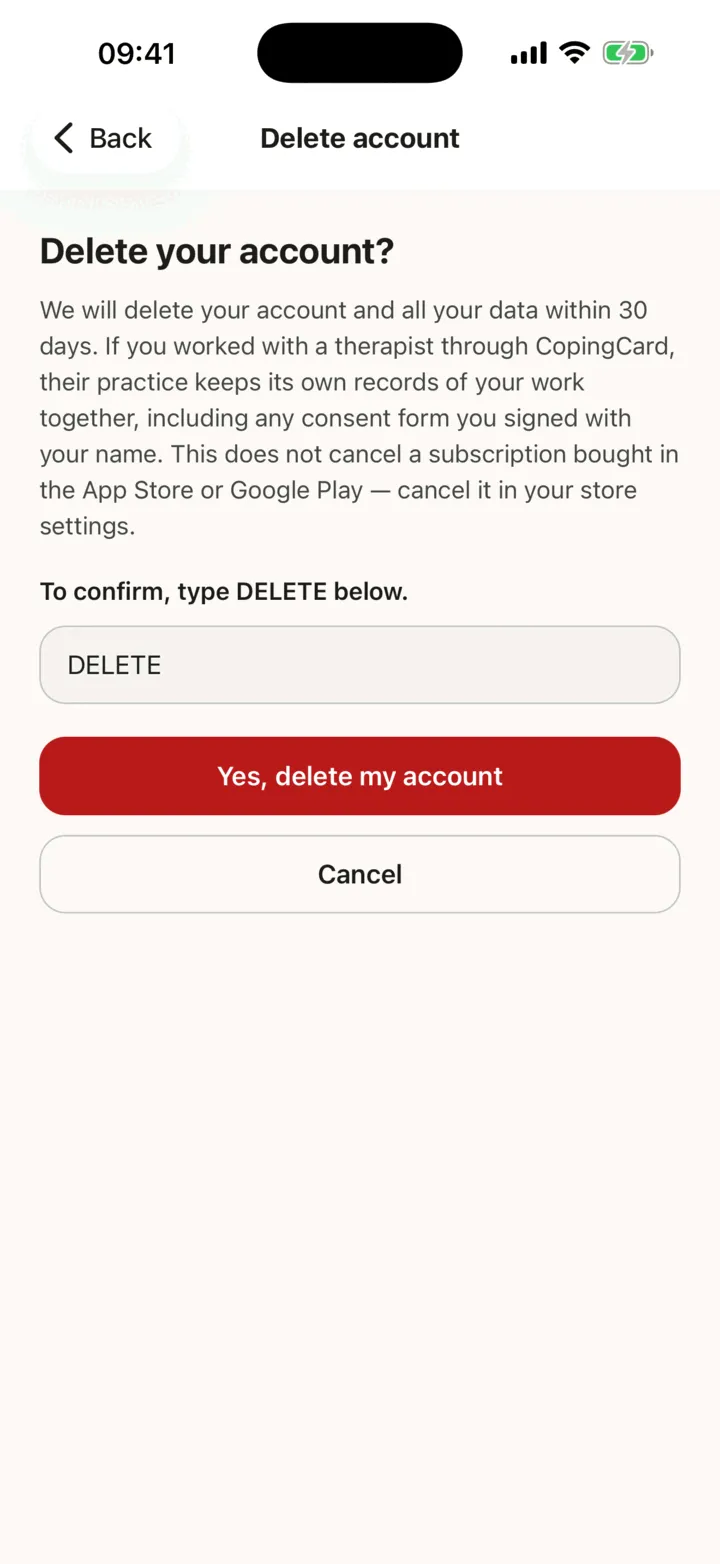
On Delete your account?, read what deletion means.
-
Type DELETE in the box. It does not matter whether you use capitals.
-
Tap Yes, delete my account. To change your mind, tap Cancel.
The button stays pale until you have typed the word. If the request cannot be sent, the app tells you and you can try again.
What happens next
Section titled “What happens next”The Delete my account section then says when you asked and the date by which CopingCard deletes your account. To withdraw the request or to ask a question, write to privacy@copingcard.com.
When your account is deleted, everything in it is deleted: your cards, thought tests, tools, reminders, assessments and your sign-in. If you open the app afterwards, it says This account no longer exists. You can create a new account at any time.
What your therapist’s practice keeps
Section titled “What your therapist’s practice keeps”If you worked with a therapist through CopingCard, their practice keeps its own records about your work together. They are the practice’s records, not yours: its session records, progress notes, case formulation and messages, the homework the practice gave you with your answers and comments, and any consent form you signed. A consent form keeps what was stored with your signature: the name you typed, the date and time, your internet (IP) address, and the app version and phone system you signed from. A message you sent to a therapist from the directory stays in their messages, marked as from a deleted client.
Homework you added yourself, and courses you started yourself, are deleted with your account.
Your subscription
Section titled “Your subscription”Deleting your account does not cancel a subscription you bought through the App Store or Google Play. Cancel it in your store’s account settings. See Premium and the free plan.