

Join your therapist in the app
You join your therapist by accepting their invitation in the app. You need a CopingCard account and an invitation from your therapist, or your therapist’s e-mail address if you want to invite them yourself.
Accept an invitation
Section titled “Accept an invitation”Your therapist sends the invitation by e-mail, with a link and a code. Open the link on your phone and the app opens the code for you. Or do it by hand:
-
In the app, tap the Settings tab, then tap Data Sharing with Therapists.
-
If your therapist invited you by your e-mail address, the invitation is listed under Pending Invites, with Invite from and Expires on. Tap Accept Invite next to it.
-
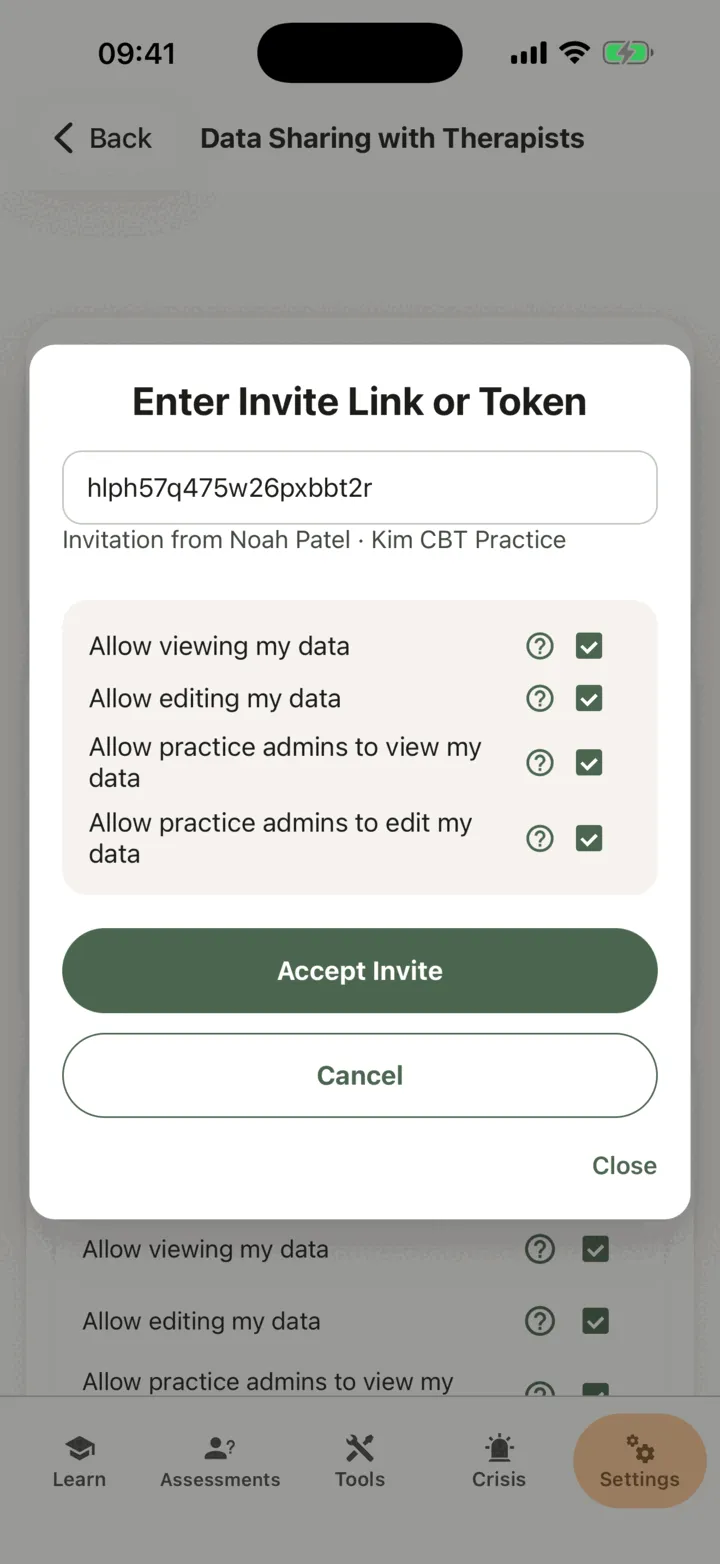
If you have a link or a code, tap Enter a link or token. Paste it into Invite Link or Token.
-
Check the line under the box. It says who sent the invitation, for example Invitation from the therapist’s name and practice.
-
Choose what your therapist can see. Allow viewing my data, Allow editing my data, Allow practice admins to view my data and Allow practice admins to edit my data all start switched on. Untick any you do not want to share. Tap the help circle next to an option to read what it means.
-
Tap Accept Invite.
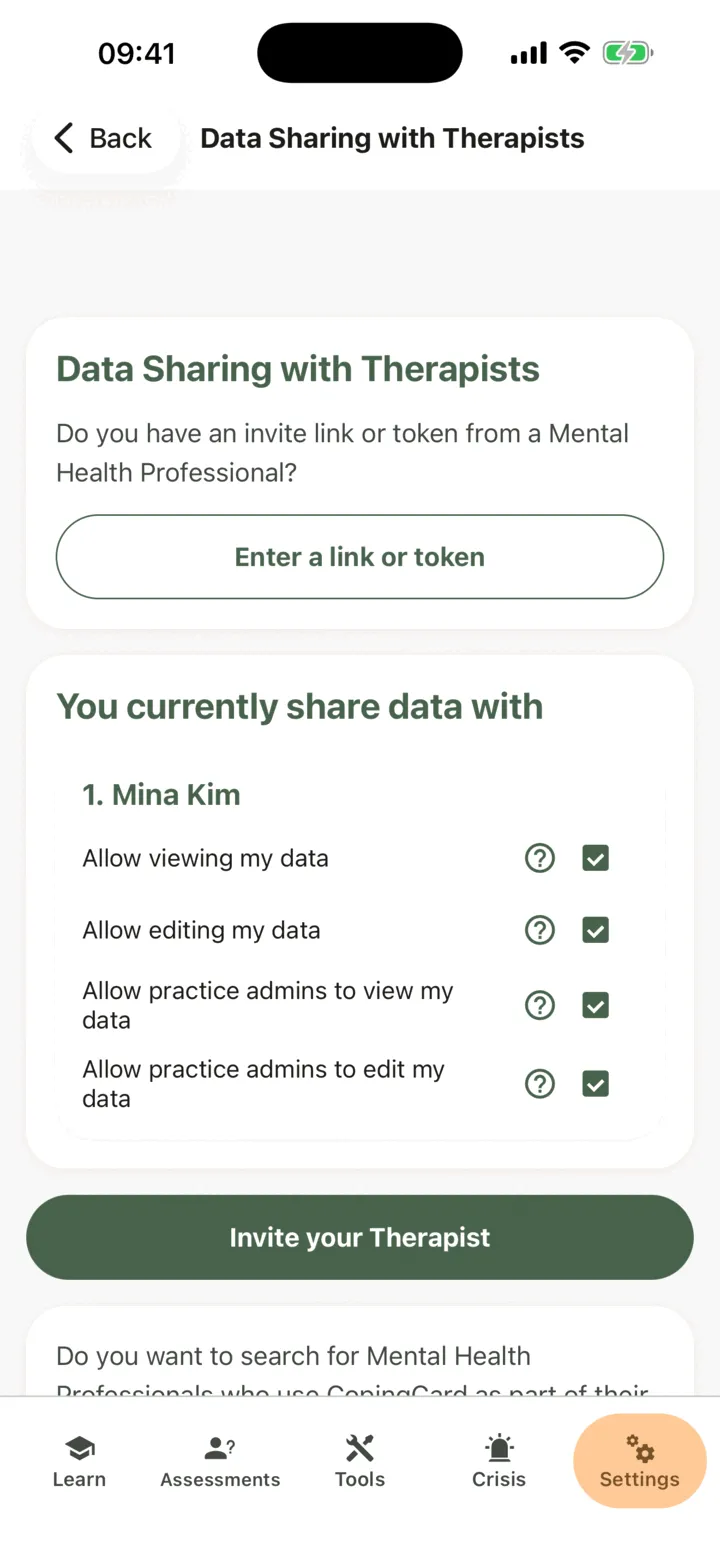
The app tells you that you have granted access to your data, and your therapist appears under You currently share data with. If your therapist’s practice gives you Premium, the app also shows You got Premium Access! once. See Premium and the free plan.
If the app shows Token not found, the code is wrong or has expired. Check it, or ask your therapist for a new invitation.
What your therapist sees
Section titled “What your therapist sees”Your therapist sees what you allow, when they open your page in their portal. They are not alerted when you add something. If you allow practice admins to view your data, the admins of your therapist’s practice see it too. Your therapist, and the admins of their practice, can always see your name on the practice’s client list. To read exactly who sees what, and to change it at any time, see Choose what your therapist can see.
Invite your therapist yourself
Section titled “Invite your therapist yourself”If your therapist does not use CopingCard yet, you can invite them by e-mail.
- On Data Sharing with Therapists, tap Invite your Therapist.
- Check Your First Name and Your Last Name. The invitation e-mail carries your name.
- Under Mental Health Professional Info, type their First Name, Last Name and Email.
- Choose what they can see with the four options. Keep Allow viewing my data and Allow practice admins to view my data switched on: without them the invitation cannot be sent.
- Read the Invite Email Text Preview, then tap Send Invite.
The app tells you the invitation is sent. Your therapist creates an account or signs in, and accepts. Then they appear under You currently share data with.