

Map a vicious cycle
A vicious cycle is a loop in which one thing feeds the next, for example a thought that leads to a feeling that leads to avoiding something, which brings the thought back. In CopingCard you write the parts down, mark what leads to what, and the app draws the cycle as a diagram.
For clients
Section titled “For clients”You need the latest version of the CopingCard app, signed in.
Map a cycle
Section titled “Map a cycle”- On the Tools tab, tap Vicious Cycles. If you have no cycles yet, the app says this is an advanced technique and offers Invite your Therapist, which you can use or ignore.
- Tap Create Vicious Cycle.
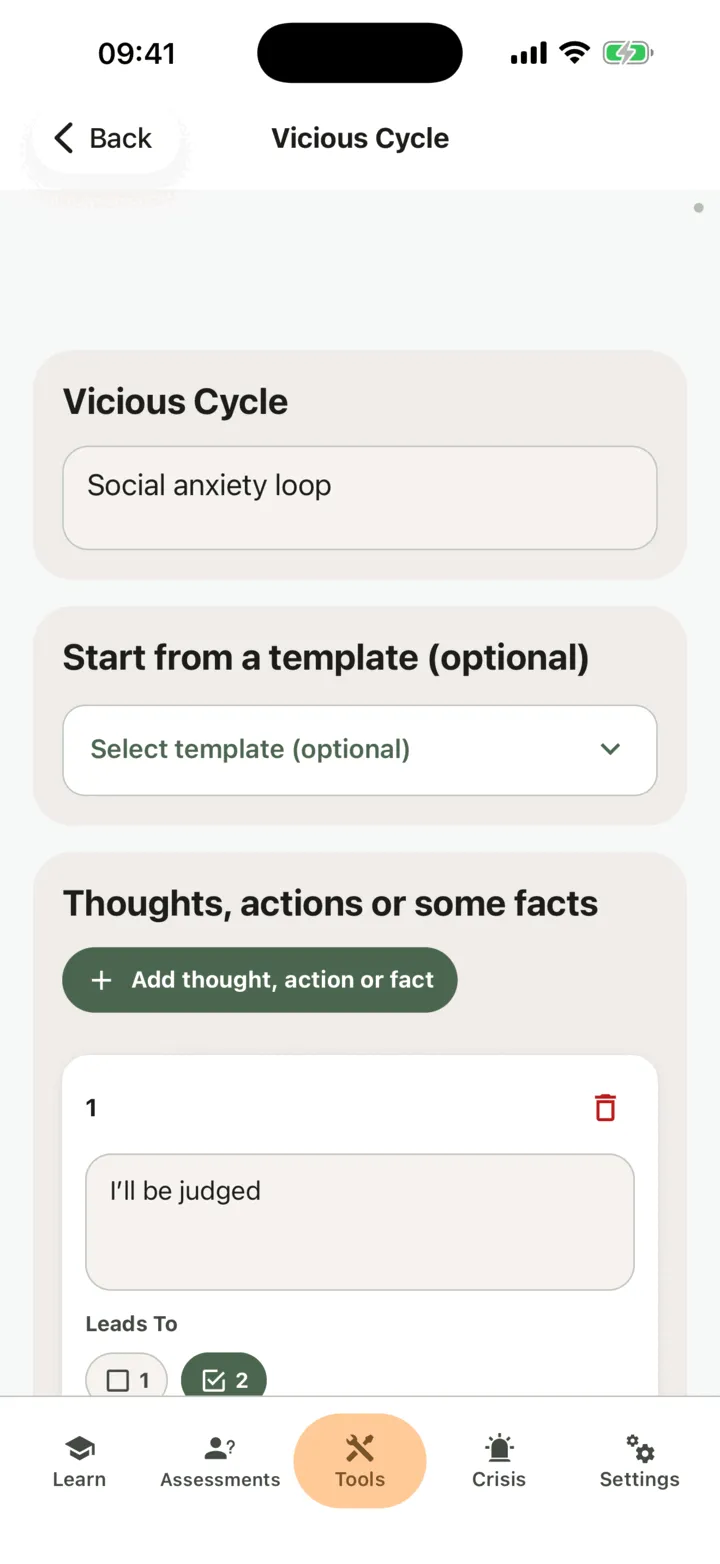
- In Name, give the cycle a name.
- To start from an example, open Start from a template (optional) and choose one. A template replaces the name and the parts you have written, so choose it first. The app offers templates in the language it is set to, and shows this choice only when there are some.
- Under Thoughts, actions or some facts, write the first part in the numbered box. Tap Add thought, action or fact for each further part.
- In the row Leads To under a part, tick the numbers of the parts it leads to.
- Look at the diagram under the form. It updates as you type and tick.
- Tap Save.
The app shows Vicious cycle saved successfully for a moment and stays on the page. Save stays off until the name or a part has text. To remove a part, tap the bin icon next to it.
CopingCard draws the diagram on its own servers, so the name and the parts you wrote are not sent to an outside service. If it cannot be drawn right now, the app shows We could not draw the picture right now. Here is what it says, so nothing is lost and the text of the diagram instead. The list shows the same picture for each cycle.
Templates you can start from
Section titled “Templates you can start from”The template list holds ready-made cycles for common problems. Among them are these:
- The worry cycle
- Worry about worry
- The panic cycle
- The night loop
- The stress-recovery spiral
- The social anxiety cycle
- The rumination cycle
- The avoidance trap (TRAP)
- The emotion-avoidance cycle
- The emotion-escape cycle
- The ‘my feelings are a problem’ cycle
- The low self-esteem cycle
- Threat, drive and the missing soothing system
- The perfectionism cycle
- The health anxiety cycle
- The checking and reassurance cycle
- The restraint-binge cycle
- The body-checking and hiding cycle
- The drinking cycle
- From a slip to a relapse
- The fear-avoidance cycle for pain
A template is a starting point: after you choose one, change the name and any part to fit you. Therapists see the same templates in the portal.
Change or delete a cycle
Section titled “Change or delete a cycle”- On Vicious Cycles, find the cycle. The list shows the newest change first.
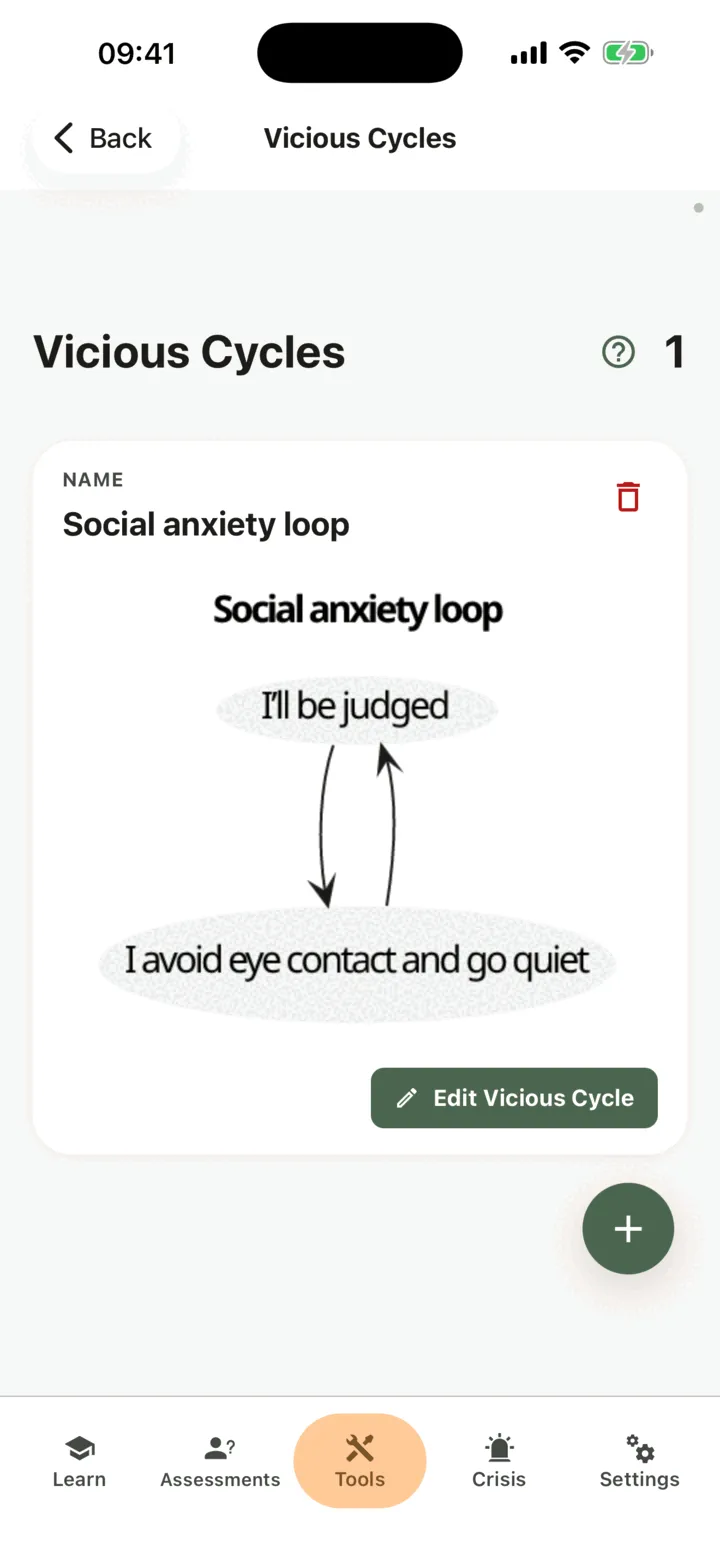
- Tap Edit Vicious Cycle and change it, then tap Save.
- To delete a cycle, tap the bin icon on its card and confirm on Delete vicious cycle?. You cannot undo it.
To learn what a vicious cycle is, tap the help circle next to the title of the list.
Who can see your vicious cycles
Section titled “Who can see your vicious cycles”If you connect with a therapist, the options on the Data Sharing with Therapists screen in Settings decide who sees your cycles. With Allow viewing my data on, your therapist sees them in the CopingCard portal. With Allow practice admins to view my data on, the admins of your therapist’s practice see them too. They see a cycle when they open it: they are not alerted when you add one. With Allow editing my data or Allow practice admins to edit my data on, they can also change your cycles. See Choose what your therapist can see.
For therapists
Section titled “For therapists”In the portal you can read a client’s cycles and build one with them, for example during a session. You see a client’s cycles only if they let you view their data, or, as a practice admin, let practice admins view it. To write, the client must allow you to edit their data, or allow practice admins to edit it, and must have a Premium account. CopingCard does not monitor or flag what clients write: you see a cycle when you open the list.
Review a client’s cycles
Section titled “Review a client’s cycles”- In the portal menu, open Tools and click Vicious cycles.
- To see one client’s cycles, use the filter on the Client ID column, or choose the client in Filter by Client at the top of the page.
- Click Expand all, or the plus sign at the start of a row, to see the diagram.
Build a cycle for a client
Section titled “Build a cycle for a client”- On the Vicious cycles list, click Create.
- Under Select a Client, choose the client. The list shows only clients with a Premium account who allow you to edit their data.
- To start from an example, choose one under Start from a template (optional).
- Fill in Name and the parts under Thoughts, actions or some facts:. Click Add thought, action or fact for each further part.
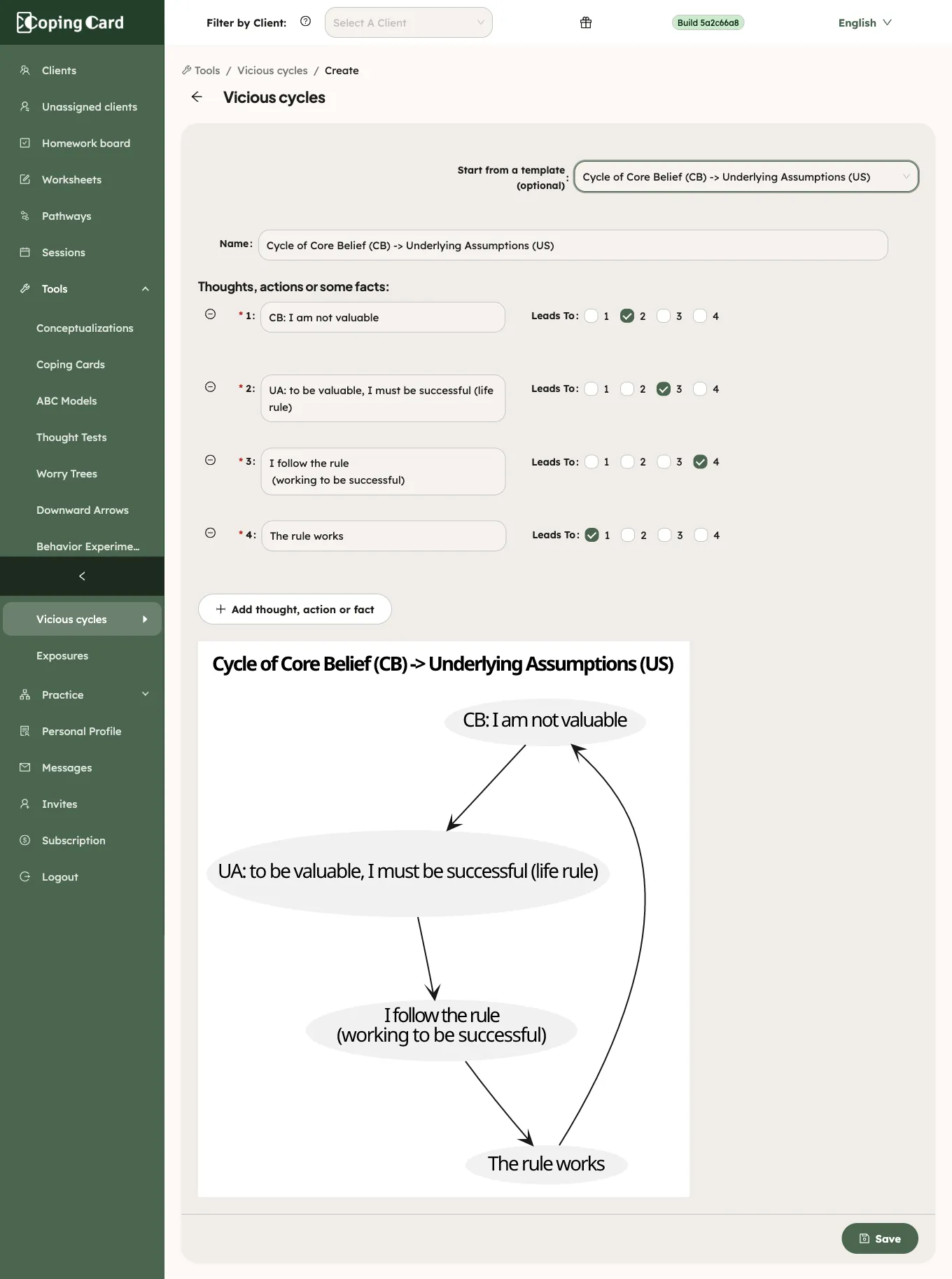
- Tick the numbers under Leads To for each part.
- Click Save.
The diagram shows under the form. The portal draws it the same way, on CopingCard’s own servers, so the name and the parts are not sent to an outside service. If you leave the page with unsaved changes, the portal asks you to confirm. To change a cycle later, click the pencil in its row. The pencil is greyed out, with a tooltip, while the client has no Premium account. The portal has no way to delete a cycle. The client sees what you saved in their app.
Assign it as homework
Section titled “Assign it as homework”Assign homework with kind Tool and Vicious cycle under What. It is marked done by itself when the client creates a new cycle in the app, or you build one for them in the portal, after you assigned it. Changing an earlier cycle does not complete it.