

Comment on your homework
Each piece of homework from your therapist has its own comments. Use them to ask a question about the homework or to tell your therapist how it went. Your therapist can answer there too.
Write a comment
Section titled “Write a comment”- On the Homework list, tap the homework.
- Scroll down to Comments.
- Tap the Write a comment box and type your comment.
- Tap Send.
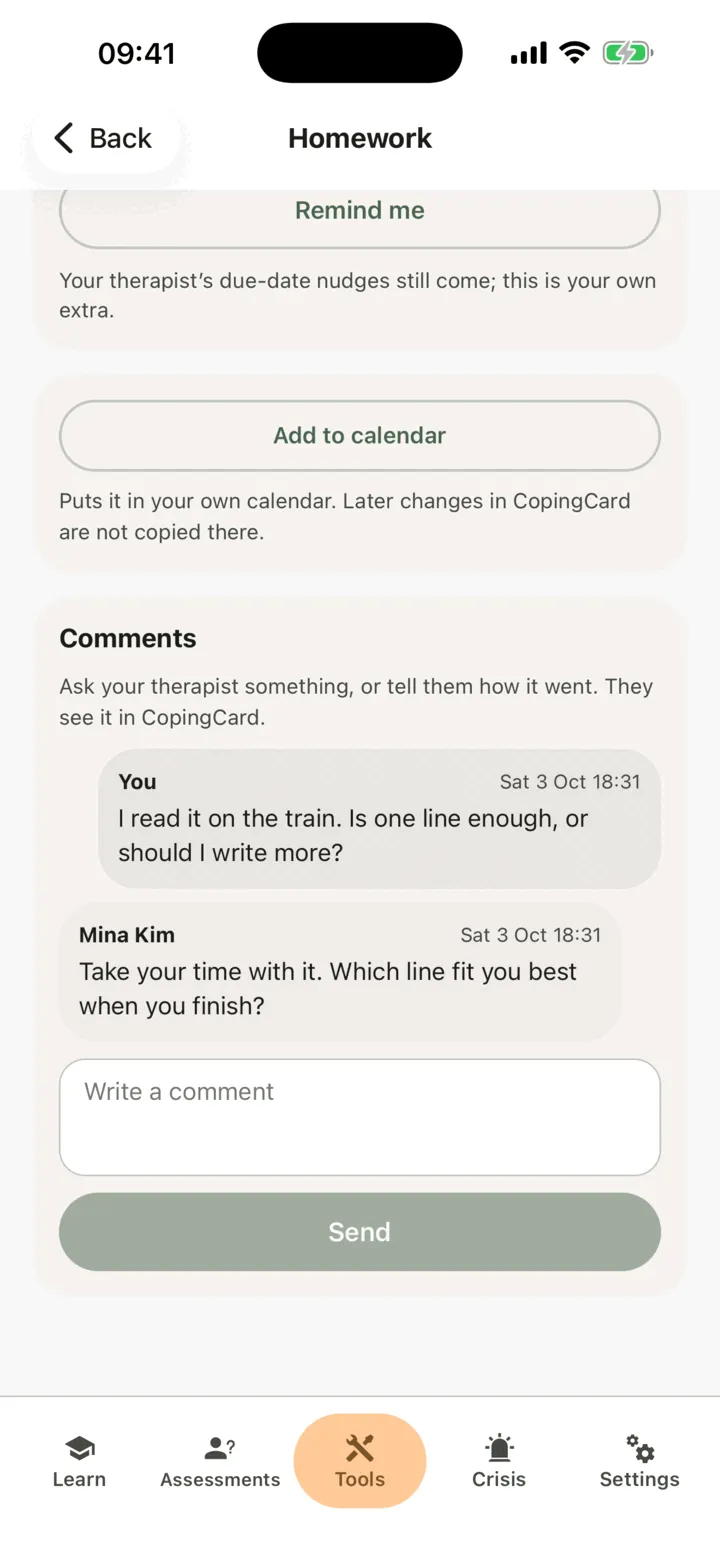
Your comment appears under You, and the oldest comments are at the top. A comment can be up to 2,000 characters long. You cannot edit or remove a comment once it is sent.
What happens next
Section titled “What happens next”Your therapist sees your comment in CopingCard. If you allow practice admins to view your data, the admins of your therapist’s practice see it too. Your therapist is not sent a notification or an e-mail about it: they see it the next time they look at your homework. Nobody reads it as you write it, so comments are not the way to reach your therapist quickly.
When your therapist replies, CopingCard sends you a notification, or an e-mail if a notification cannot reach your phone. It says who replied and on which homework, but not what they wrote. Tap it to open the comments of that homework.
If your therapist withdraws the homework, it stays on your list, marked withdrawn: you can still read it and its comments, but you can’t add new ones.
Comments are part of your therapist’s record of the homework they gave you. Your therapist can still read them if you later switch off sharing your data with them or delete your CopingCard account.
Comments on homework you added yourself
Section titled “Comments on homework you added yourself”On homework you added for yourself, you can comment too. A therapist you allow to view your data can read those comments and reply, and CopingCard tells you of the reply like any other. They can only reply: they cannot change that homework.