

Premium and the free plan
CopingCard is free to use, with limits on some tools. Premium removes those limits. You can subscribe in the app, or your therapist’s practice can give you Premium.
The free plan and Premium
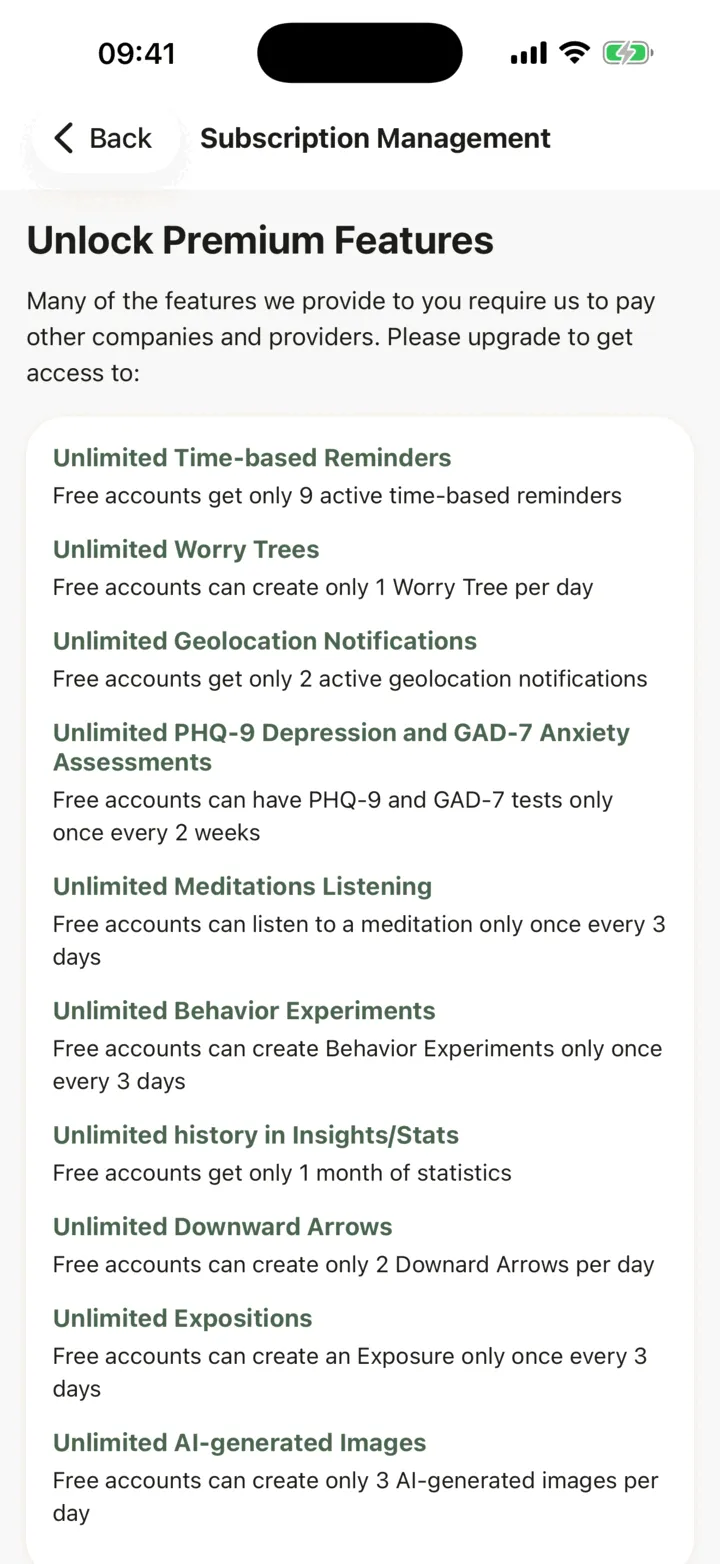
Section titled “The free plan and Premium”| Feature | Free plan | Premium |
|---|---|---|
| Time-based reminders | 9 active reminders | Unlimited |
| Geolocation notifications | 2 active | Unlimited |
| Worry trees | 1 per day | Unlimited |
| PHQ-9 and GAD-7 assessments | Each once every 2 weeks | Unlimited |
| Meditations | One every 3 days | Unlimited |
| Behavior experiments | One every 3 days | Unlimited |
| Exposures | One every 3 days | Unlimited |
| Downward arrows | 2 per day | Unlimited |
| History in Insights and stats | 1 month | Unlimited |
| AI-generated images | 3 per day | Unlimited |
When you reach a free limit, the app tells you and offers Premium. You can tap Not now and carry on with the free plan.
Subscribe
Section titled “Subscribe”-
In the app, tap the Settings tab, then tap Subscription Management.
-
Read the list under Unlock Premium Features.
-
Tap the plan you want. Each button shows the price and the period, and how much you save on longer plans.
-
Confirm the purchase with the App Store or Google Play.
The screen then reads You Have Premium Access. You pay through your App Store or Google Play account, in your local currency. The subscription renews by itself unless you turn off auto-renew in your store account at least 24 hours before the end of the period. To manage or cancel it, use your store’s account settings. Deleting your CopingCard account does not cancel it.
Restore a purchase
Section titled “Restore a purchase”If you already subscribed, for example on a new phone, open Subscription Management and tap Restore Subscription. The app tells you whether it found your subscription.
Premium from your therapist’s practice
Section titled “Premium from your therapist’s practice”A therapist’s practice can give you Premium. When your access starts, the app shows You got Premium Access! once, and Subscription Management shows You Have Premium Access.
Premium from a practice can end. It ends when you switch off every sharing option for your therapist, when your therapist moves you to the free plan, or when the practice’s subscription ends. In each case you keep Premium if another practice or your own subscription still gives it to you.
When Premium ends, the app may show Subscription Not Valid, with what you would lose. Tap Keep my paid features to subscribe yourself, or Downgrade my experience to carry on with the free plan. Some notifications and reminders are turned off when you downgrade. The window also says to contact your therapist if they gave you your Premium.