

Choose what your therapist can see
You choose what each therapist can see of your work in the app. You can change it at any time. You need to be connected to a therapist first: see Join your therapist in the app.
Change what you share
Section titled “Change what you share”-
In the app, tap the Settings tab, then tap Data Sharing with Therapists.
-
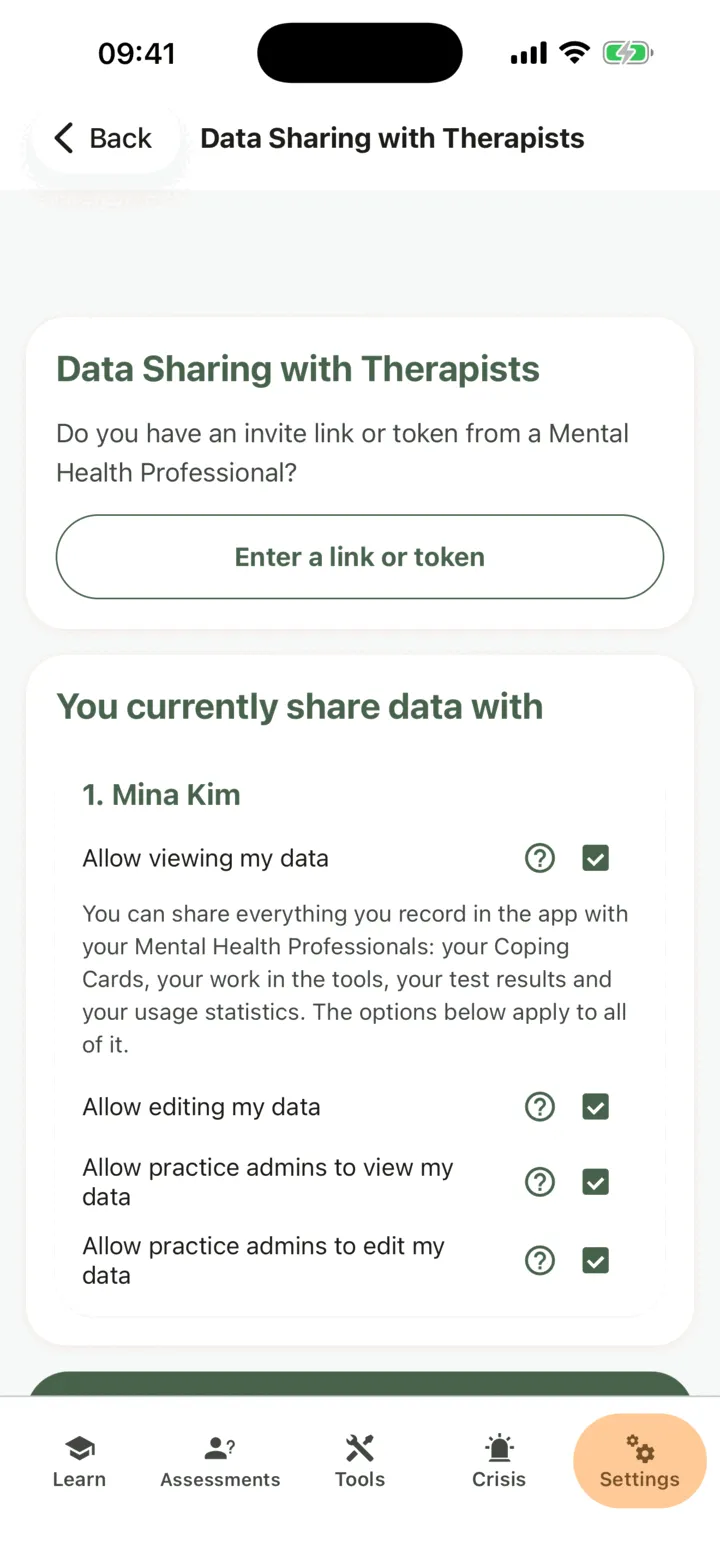
Under You currently share data with, find your therapist.
-
Tap the help circle next to an option to read what it means.
-
Tap an option to switch it on or off: Allow viewing my data, Allow editing my data, Allow practice admins to view my data or Allow practice admins to edit my data.
-
If you are switching an option off, the app asks you to confirm with Confirm Revoke. Tap Confirm.
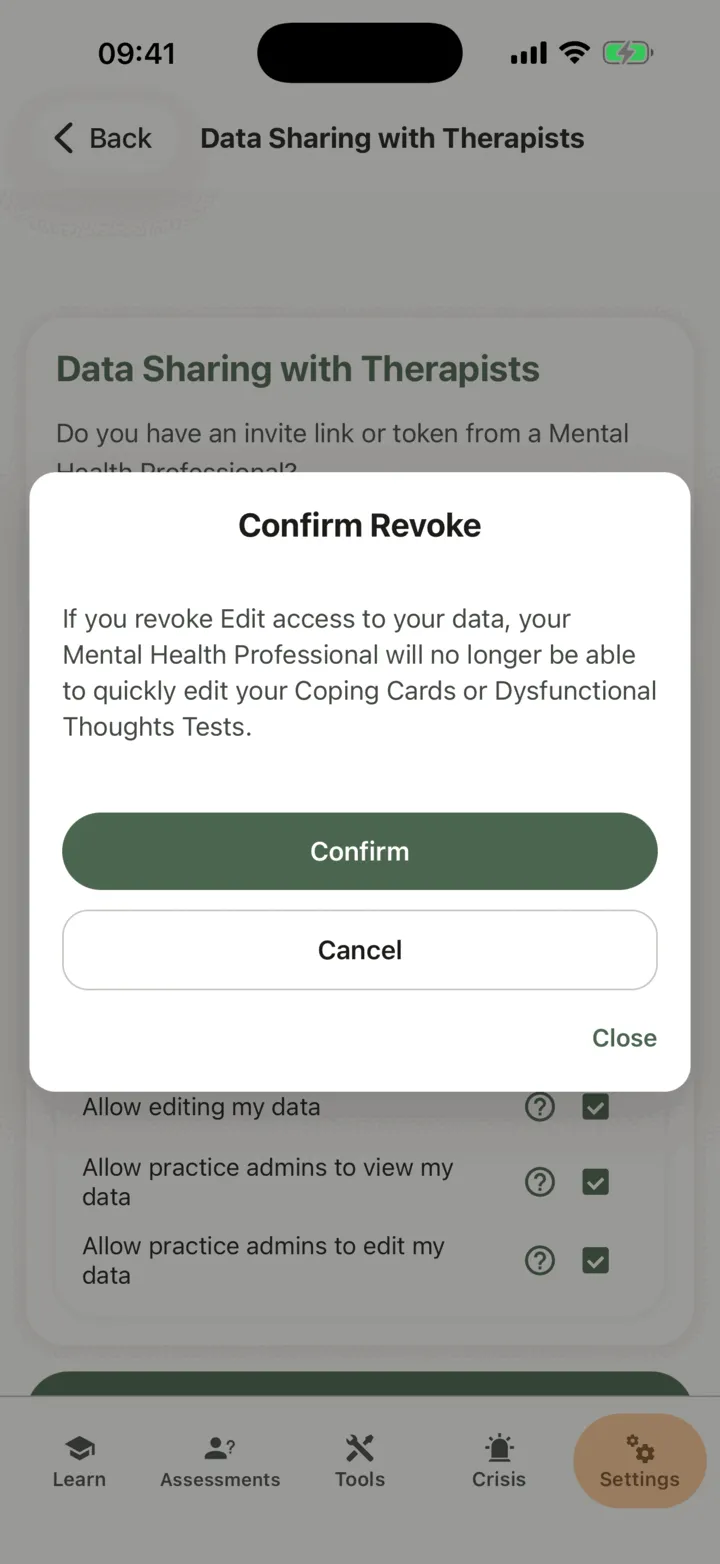
Switching an option on takes effect at once. The app tells you that you have updated access to your data.
Some options depend on each other. Allow editing my data needs Allow viewing my data, so switching editing on also switches viewing on, and switching viewing off also switches editing off. The two practice admin options work the same way.
What each option lets people see and do
Section titled “What each option lets people see and do”| Option | Who it is for | What it allows |
|---|---|---|
| Allow viewing my data | Your therapist | To see everything you record in the app: your coping cards, your work in the tools, your test results and your usage statistics. It also covers the homework you add yourself and the entries of your journals. |
| Allow editing my data | Your therapist | To change your work in the app, for example during a video session. |
| Allow practice admins to view my data | The admins of your therapist’s practice | To see the same as your therapist. |
| Allow practice admins to edit my data | The admins of your therapist’s practice | To change the same as your therapist. |
Your therapist sees your work when they open your page in their portal. They are not alerted when you add something.
What stays with the practice
Section titled “What stays with the practice”The four options are about your work in the app. Your therapist’s practice also keeps its own records about your work together: its client list, its session and progress notes, and the homework it gave you with your answers. These do not depend on the four options for your therapist. For the admins of the practice, they depend on Allow practice admins to view my data. If you switch every option off, you stay on the practice’s client list and the practice keeps these records. To end the sharing, see Stop sharing with a therapist or change therapist.