

See your progress in Insights
Insights shows how you use your coping cards and reminders in the app, as charts over time. It counts what you do in the app. It does not show what you wrote.
For clients
Section titled “For clients”You need the latest version of the CopingCard app, signed in. Insights draws on the app’s record of what you did, so it fills in as you use Coping Cards and reminders.
Read your charts
Section titled “Read your charts”- On the Tools tab, tap Insights. It is the last card.
- At the top, choose the time range: 1W, 1M, 3M, 6M or YTD. 1W is the first view. YTD covers the last twelve months. Each point on a chart covers one day on 1W, three days on 1M, fifteen days on 3M and thirty days on 6M and YTD.
- Read the charts below:
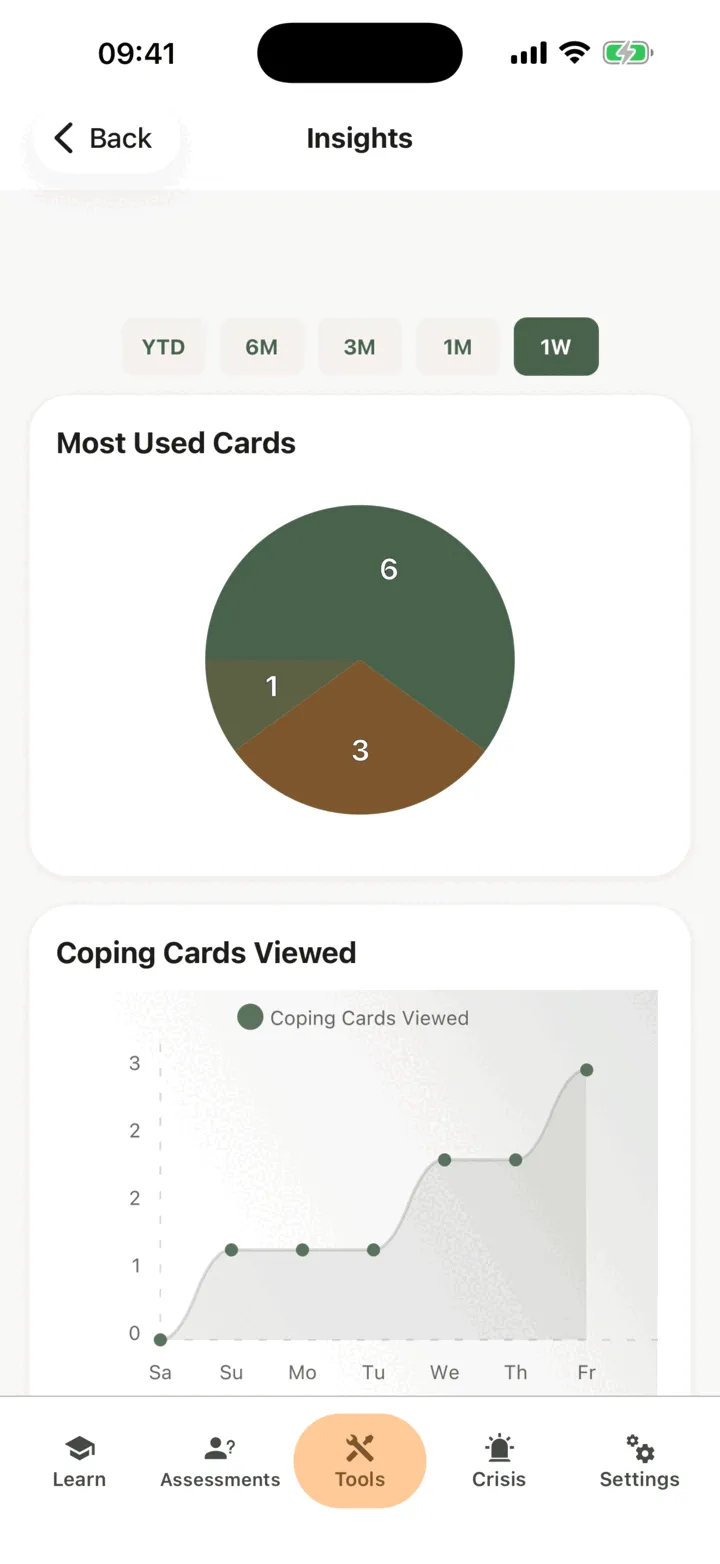
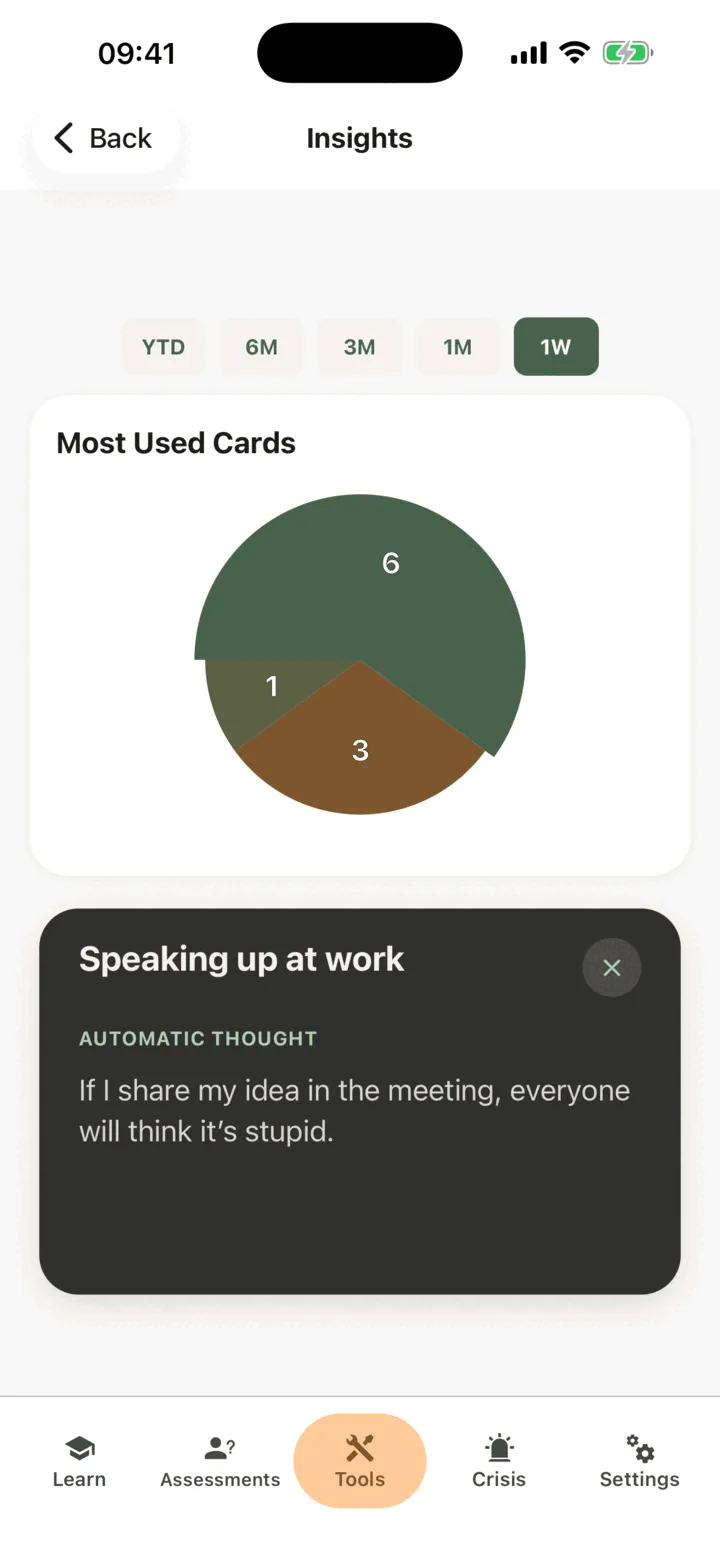
- Most Used Cards is a pie of the five cards you flipped most often in that range. Tap a slice to see the card. Tap the card to flip it, and tap the cross to go back to the charts.
- Coping Cards Viewed shows how many times you flipped a card.
- Time-based Reminders Usage and Geolocation Notifications Usage each show the reminders that were Triggered and the ones you Opened by tapping them, with Percent Opened of Triggered under the chart.
A chart that has nothing to show is left out. If there is nothing at all, the screen says Not enough activity yet: use your cards and reminders a bit longer, then open Insights again.
The longer ranges need Premium. On the free plan they look dimmed, and tapping one opens the subscription screen. See Premium and the free plan.
Who can see it
Section titled “Who can see it”The charts count your actions in the app, not your writing. If you connect with a therapist, the options on the Data Sharing with Therapists screen in Settings decide who sees your data, including how you use the tools. With Allow viewing my data on, your therapist sees your activity in the CopingCard portal. With Allow practice admins to view my data on, the admins of your therapist’s practice see it too. They see it when they open your page: they are not alerted. See Choose what your therapist can see.
For therapists
Section titled “For therapists”There is no Insights page in the portal. The same charts are on the client’s own page, over a fixed range of one month. They count the client’s actions in the app, and show nothing they wrote.
See a client’s charts
Section titled “See a client’s charts”- In the portal menu, click Clients and open the client’s page: see Find a client and open their page.
- On the Overview tab, find App Usage Graphs and Notifications Usage Graphs.
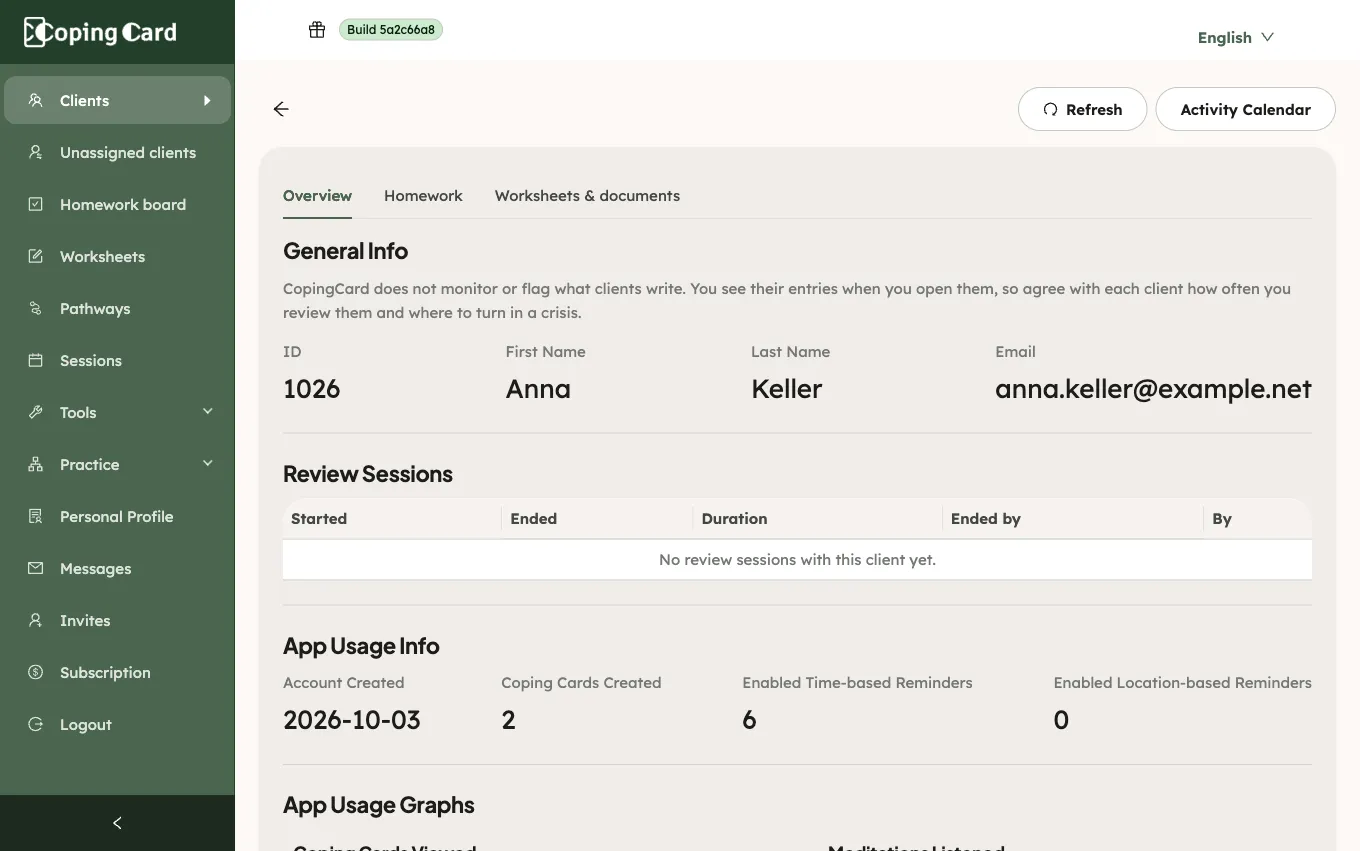
They show Coping Cards Viewed, Time-based Reminders Usage and Geolocation Notifications Usage, with the counts under App Usage Info. See See a client’s activity in the app for everything on that tab. CopingCard does not monitor or flag what clients do: you see the charts when you open the page.
Insights is not something you can assign as homework.