

Get reminders for your homework
CopingCard reminds you about homework in two ways: reminders it sends by itself, and reminders you set yourself on a piece of homework. You can also add a piece of homework to your phone’s calendar.
Reminders CopingCard sends
Section titled “Reminders CopingCard sends”- When your therapist gives you homework, changes it or withdraws it, you get a notification. If a notification cannot reach your phone, you get an e-mail instead.
- When a piece of homework is due, you get a reminder, and another one two days later if it is still not done. A reminder that would arrive between 21:00 and 08:00 in your time zone is sent at 20:00 instead: the same evening if it falls from 21:00 on, the evening before if it falls before 08:00. The due time itself does not change. Your therapist can turn these off, or keep only the one at the due time. For homework you add yourself, both come if it has a due date or repeats.
- Your therapist can also send you a reminder about a piece of homework, sometimes with a short message. The message is shown only on the homework in the app, under its instructions. The notification and the e-mail do not include it.
Set your own reminder
Section titled “Set your own reminder”You can add your own reminders to homework that is still to do.
- On the Homework list, tap the homework.
- Under Remind me, tap Remind me.
- Under How often, tap Daily, Weekly, Monthly or One time.
- For a weekly reminder, tap the days under On these days.
- Set the time next to At.
- Set the first day next to Starting.
- Tap Save reminder.
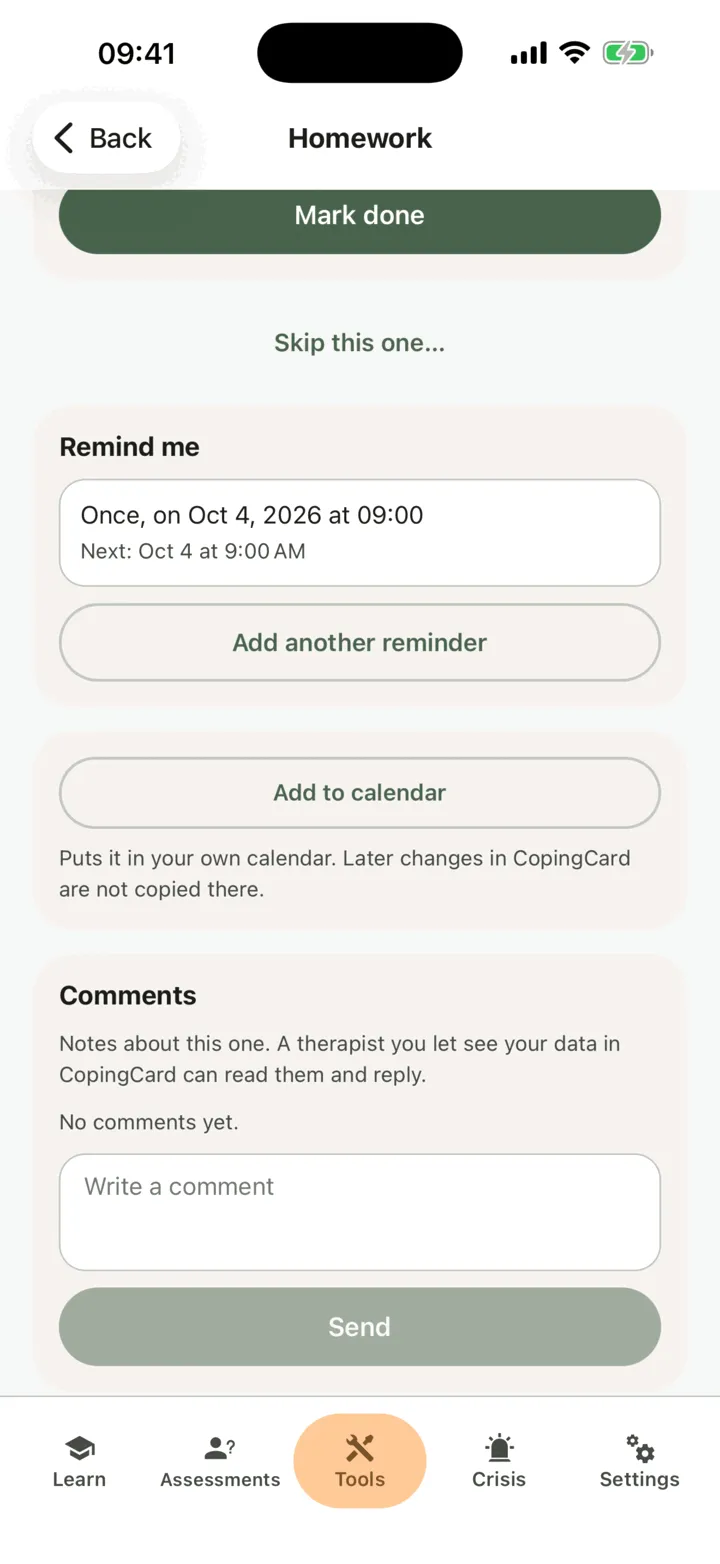
The reminder is listed under Remind me with the time of the next one. At that time your phone shows a notification, Homework reminder, without the name of the homework. Tap it to open the homework. To change a reminder, tap it. To add one more, tap Add another reminder.
Your own reminders stop by themselves when your therapist withdraws the homework, or when homework that does not repeat is done or skipped. For homework from your therapist, the reminders CopingCard sends still come too.
Add it to your calendar
Section titled “Add it to your calendar”You can add a piece of homework that has a due date or repeats to your phone’s calendar.
- On the Homework list, tap the homework.
- Tap Add to calendar.
- Check the new event your phone shows, then save it in your calendar.
The event has the name of the homework, the time it is due (and how it repeats), and a link that opens it in CopingCard. The instructions are not copied into your calendar. The event is a copy: if the homework changes in CopingCard later, your calendar does not change with it. CopingCard does not see your calendar.