

Add a client who does not use the app
A non-app client is a client you add by name, for example a person who is not ready to use the app or will never use it. They appear on your Clients list like any other client, and you can record their sessions. You need free client places in your plan: Add Non-App Client is switched off when your practice has reached its limit or its subscription has expired.
Add the client
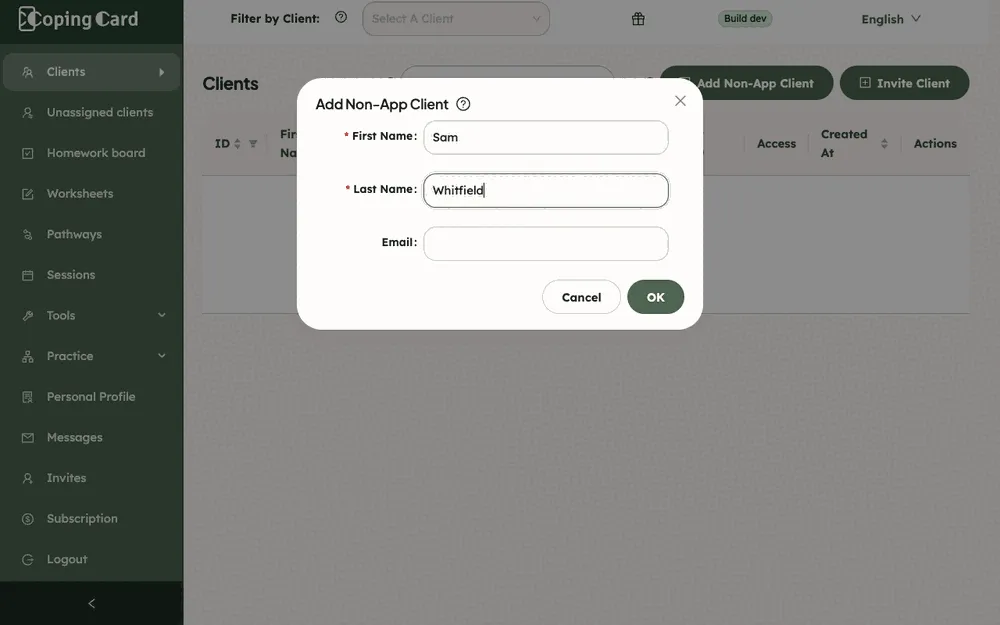
Section titled “Add the client”- In the portal menu, click Clients, then click Add Non-App Client.
- Enter the client’s First Name and Last Name. Both are required.
- Enter their Email if you have it. You can leave it empty.
- Click OK.
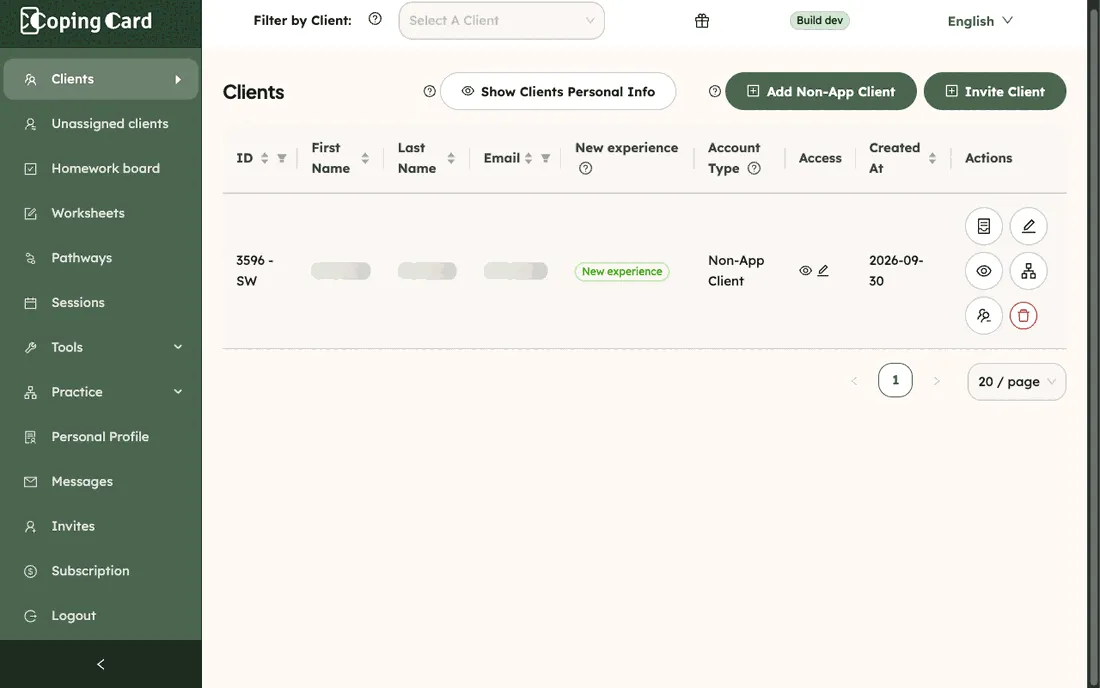
You should now see the client in the list, with Non-App Client under Account Type.
What happens next
Section titled “What happens next”- The client counts toward your practice subscription.
- Their row has an icon to merge the client with an app account and an icon to delete the client. Only non-app clients have these two.
- The client has no app, so nothing arrives from a phone. You can still choose them in Sessions and write their notes: see Record a session.
- If the client later starts using the app, invite them and merge the two, so that the record is in one account.