

Put a client on a pathway
You put a client on a pathway from their page. Each step then reaches them as ordinary homework when its time comes. You can do this for a client who shares at least some of their data with you.
Enroll a client
Section titled “Enroll a client”- On the client’s page, click the Homework tab.
- Click Enroll in a pathway.
- Under Pathway, choose the pathway. A copy of a pathway is listed right under its original.
- Check Start at and the list of when each step lands.
- Click Enroll.
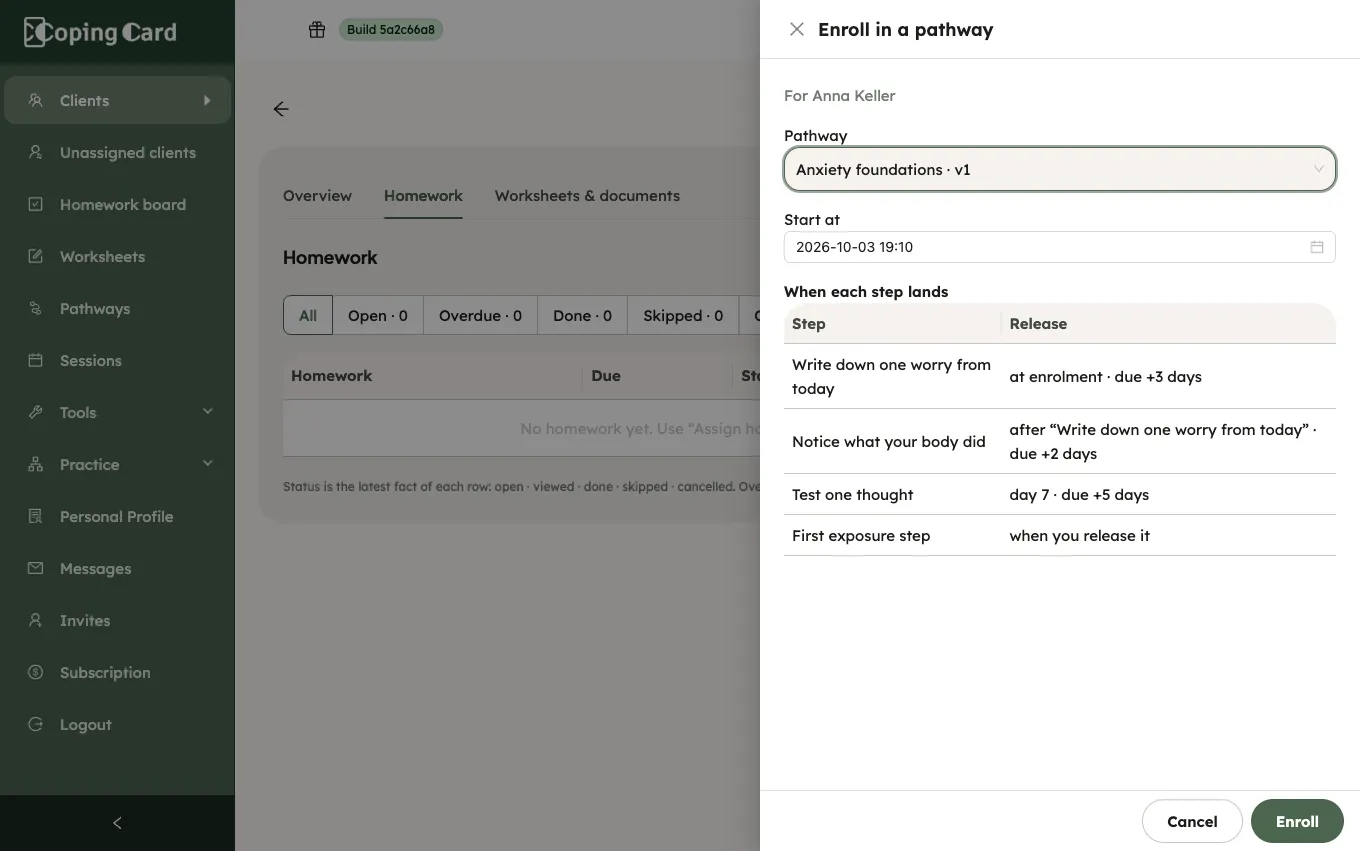
The portal confirms that the client is on the pathway. The first steps reach them within a minute, as homework, and CopingCard tells them about each step as it does for any homework. In the app, the client sees the pathway under My programs. See Follow a program from your therapist.
A client cannot be put on the same pathway twice while they are still on it.
Follow the client’s progress
Section titled “Follow the client’s progress”- On the client’s page, click the Homework tab.
- In Pathways, click Open progress next to the pathway.
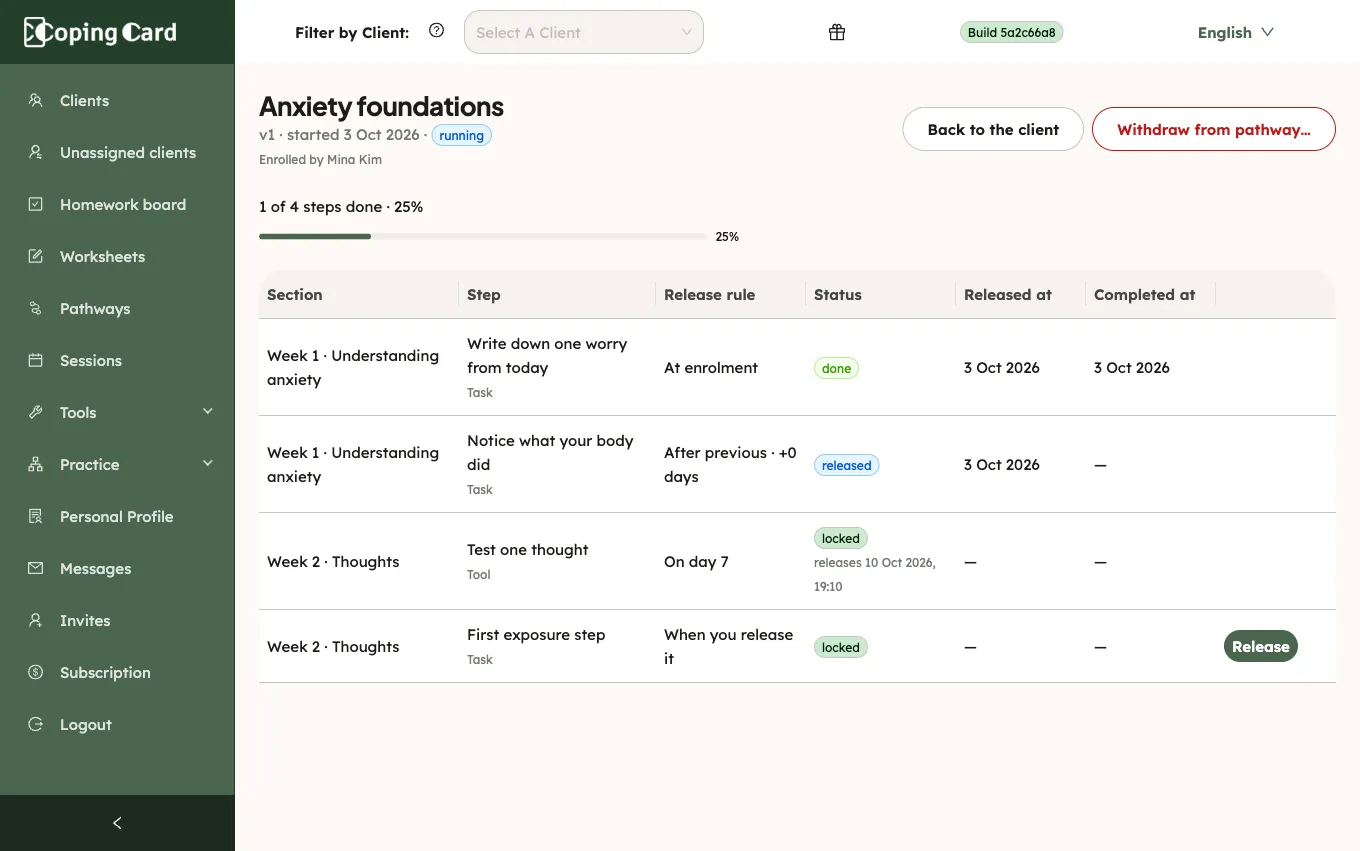
The progress page shows how many steps are done and, for each step, its release rule, its status (released, locked, done or skipped) and when it was released and done. A locked step says when it will be released. The released steps are also on the client’s Homework tab, where you follow them like any homework.
When every step is done or skipped, the pathway is marked completed by itself.
Release a step yourself
Section titled “Release a step yourself”A step with the rule When you release it waits for you.
- On the progress page, click Release in the row of the step.
- Click Release to confirm.
The step becomes homework on the client’s list at once, with its due date counted from now, and the client is told.
Take a client off a pathway
Section titled “Take a client off a pathway”- On the progress page, click Withdraw from pathway….
- If you want, write why.
- Click Withdraw.
The released steps the client has not done yet are withdrawn from their homework. The steps they finished stay in their history. No more steps are released. The client cannot leave a pathway you put them on from the app: they are told to talk to you about it.