

Stop sharing with a therapist or change therapist
You can stop sharing with a therapist whenever you like, and you decide whether to move to another therapist of the same practice. You need to be connected to a therapist. There is no separate button to leave: you switch off the sharing options.
Stop sharing with a therapist
Section titled “Stop sharing with a therapist”- In the app, tap the Settings tab, then tap Data Sharing with Therapists.
- Under You currently share data with, find the therapist.
- Switch off each option that is on: Allow viewing my data, Allow editing my data, Allow practice admins to view my data and Allow practice admins to edit my data.
- Each time, the app asks you to confirm with Confirm Revoke. Tap Confirm.
When the last option is off, the therapist is no longer in your list. To share with them again, they need to send you a new invitation, and you choose again what to share. See Join your therapist in the app.
What happens next
Section titled “What happens next”- Your therapist can no longer see your work in the app. Their client list shows that you switched all sharing off.
- Your therapist’s practice keeps its own records about your work together and keeps you on its client list. See Choose what your therapist can see.
- If your therapist’s practice gave you Premium, it ends when you switch everything off, unless another practice or your own subscription still gives you Premium. See Premium and the free plan.
- To delete your account and your data instead, see Delete your account.
Answer a request to move to another therapist
Section titled “Answer a request to move to another therapist”A practice can ask you to move to another therapist of the same practice. Nothing changes until you approve.
-
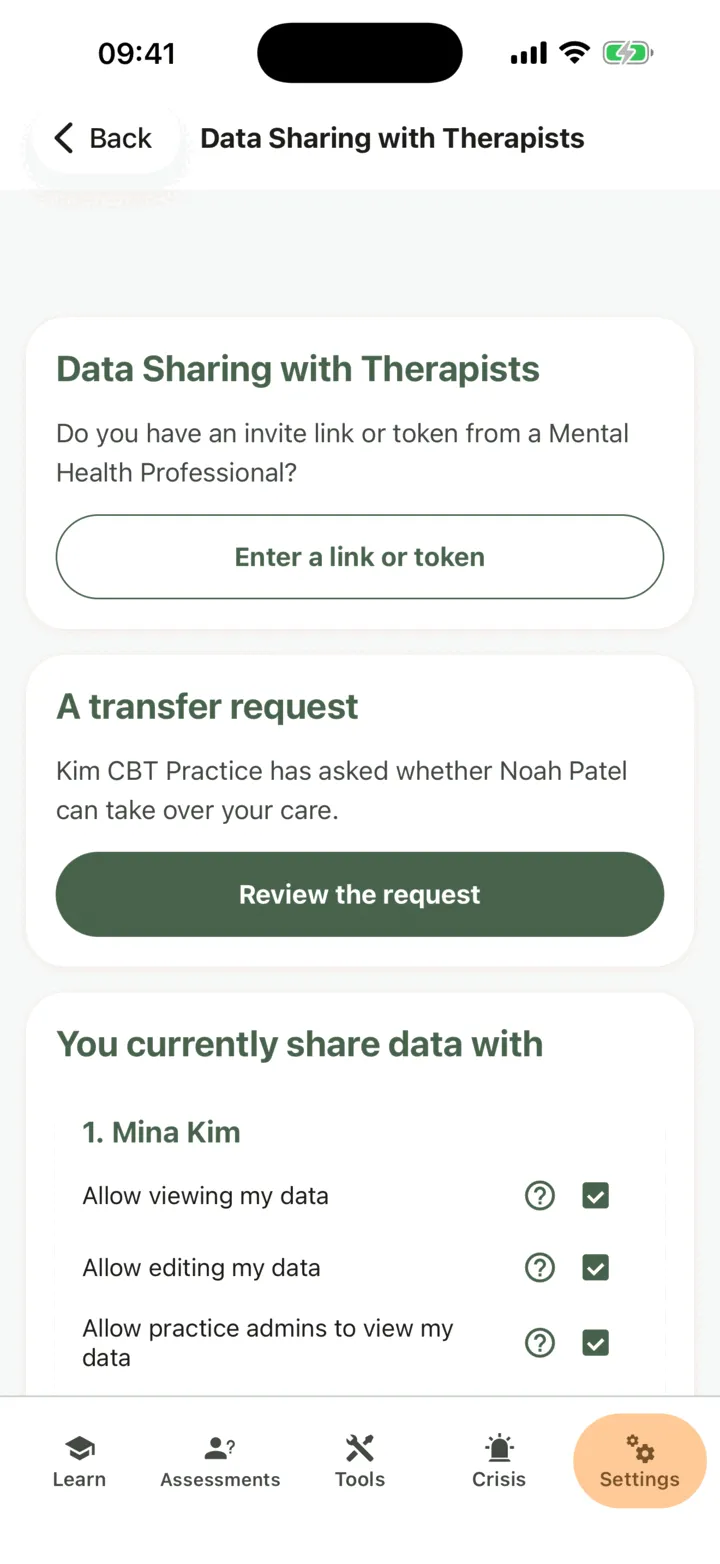
Open Data Sharing with Therapists. At the top, the card A transfer request says which practice asked and who would take over.
-
Tap Review the request.
-
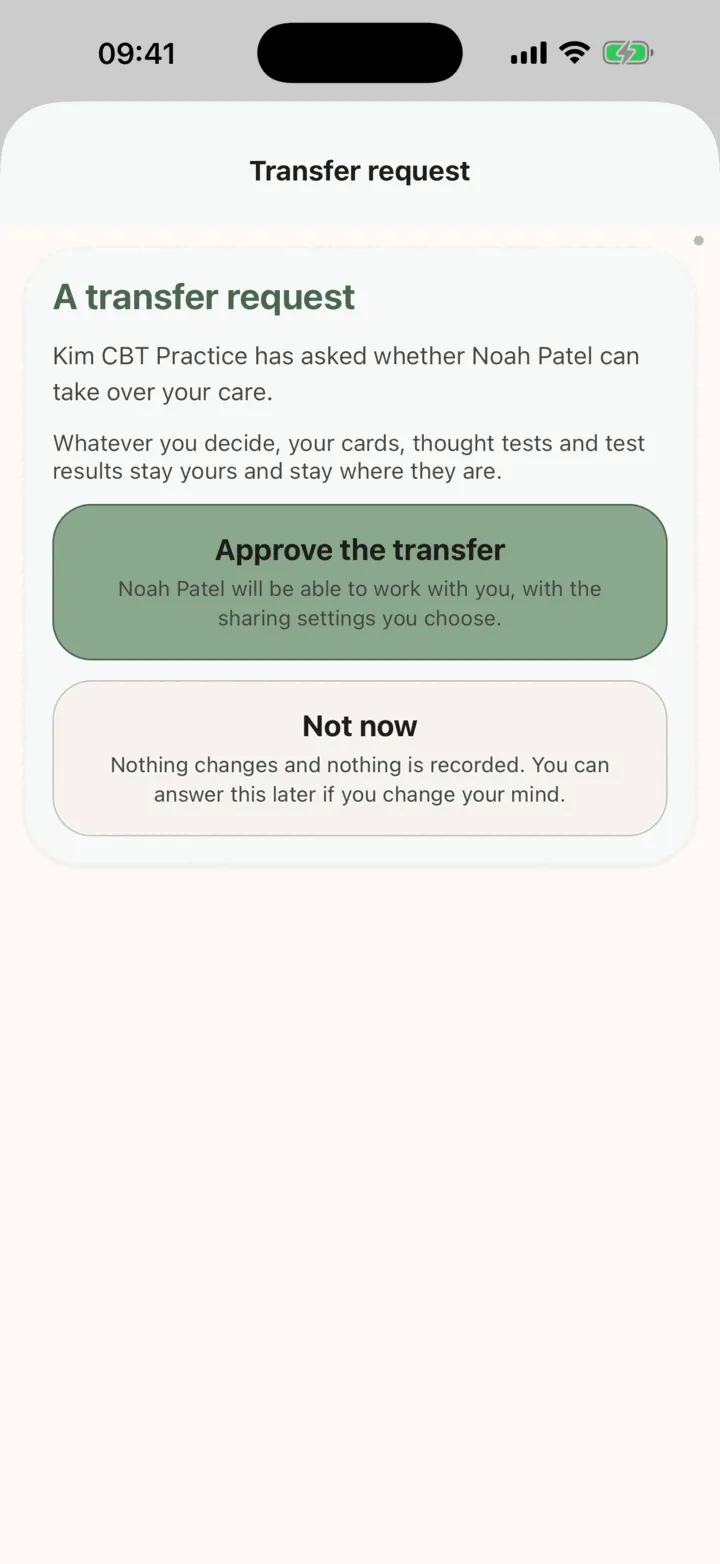
Tap Approve the transfer, or tap Not now.
If you tap Not now, nothing changes and you can answer later. If you approve, the new therapist takes over, with access that follows your sharing choices, and your former therapist no longer has access. Check Data Sharing with Therapists after you approve, and change anything you do not want.
Whatever you decide, your cards, thought tests and test results stay yours and stay where they are.