

See a client's worksheet numbers over time
When a client fills in the same worksheet again and again, such as a weekly journal, CopingCard can draw its numbers as lines. You can do this for any worksheet that is repeatable, once your client has the app and you can see their worksheets.
See the numbers as a chart
Section titled “See the numbers as a chart”- In the portal menu, click Clients, then open the client’s page with the eye icon in their row.
- Click the Worksheets & documents tab.
- In the row of the repeatable worksheet, click Over time.
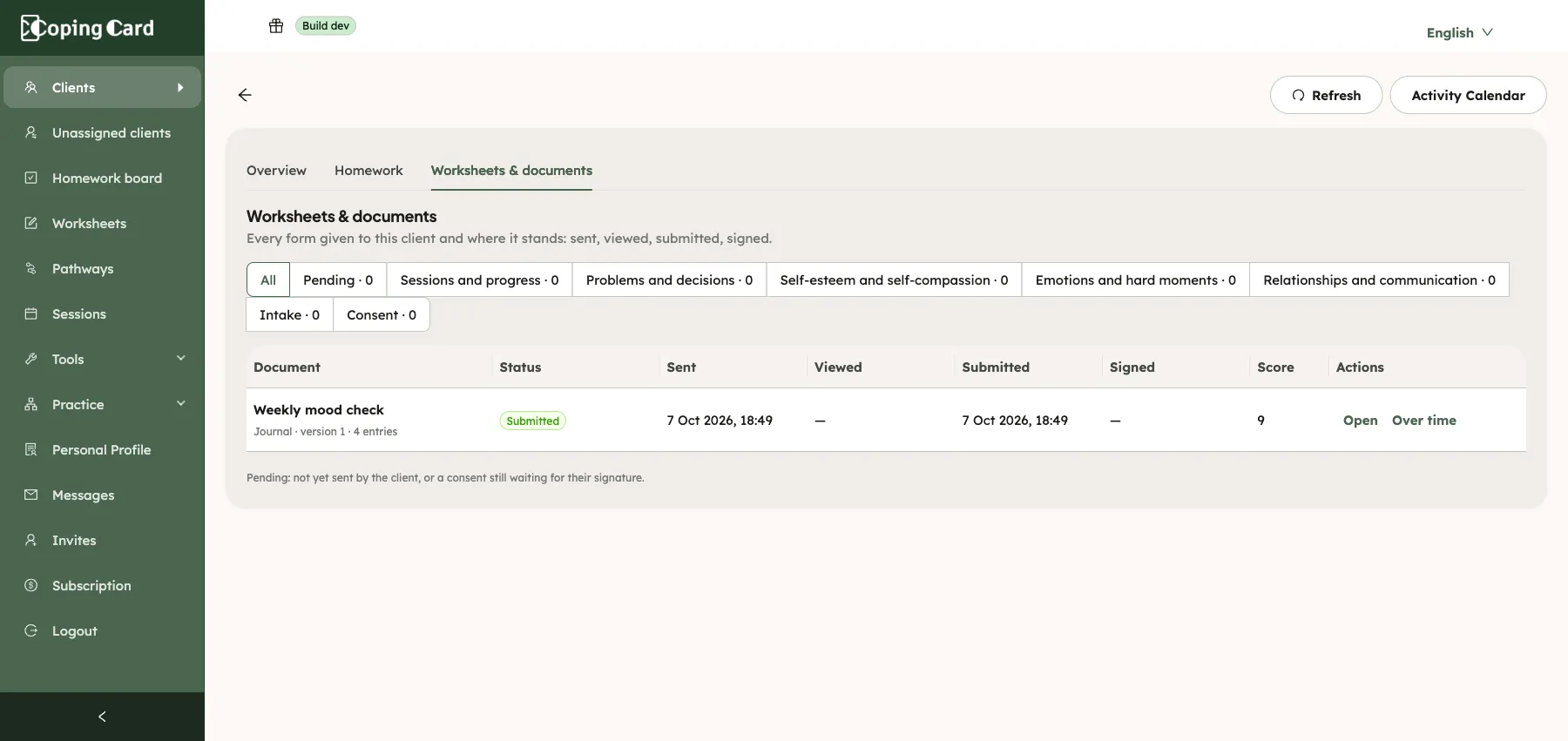
Only a repeatable worksheet has Over time. Its row shows the button even before the client has sent the first entry.
The chart has one line for each number or scale question, and one Score line when the worksheet adds up a score. Under the chart, each line is named with its latest value and how many entries it has. A summary line gives the count and the first and last dates.
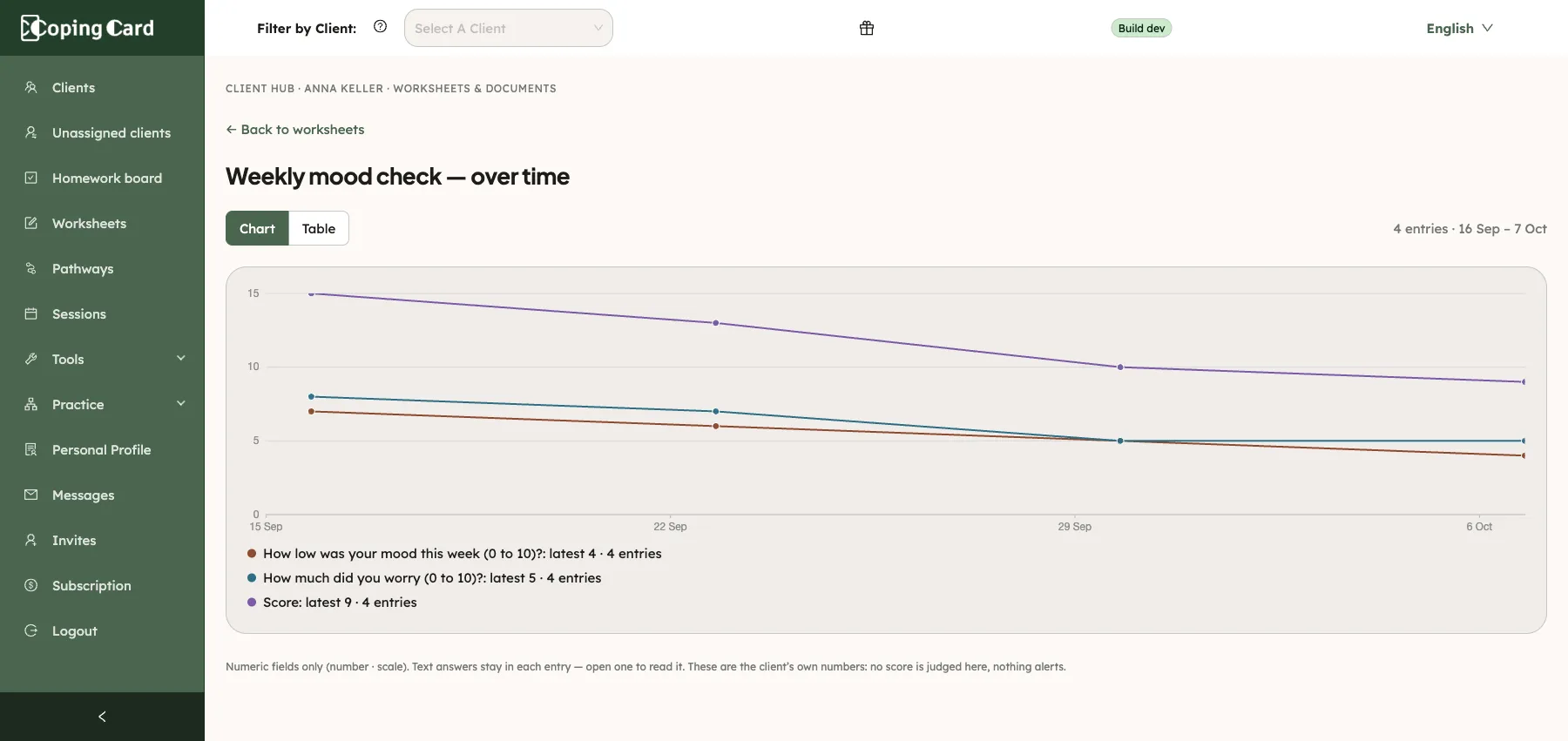
The page shows the client’s own numbers as they wrote them. It gives no verdict, adds no average or colour, and nothing alerts you or the client.
Read the numbers as a table
Section titled “Read the numbers as a table”- On the over-time page, click Table.
- To read one entry in full, click Open in its row.
- To go back to the chart, click Chart.
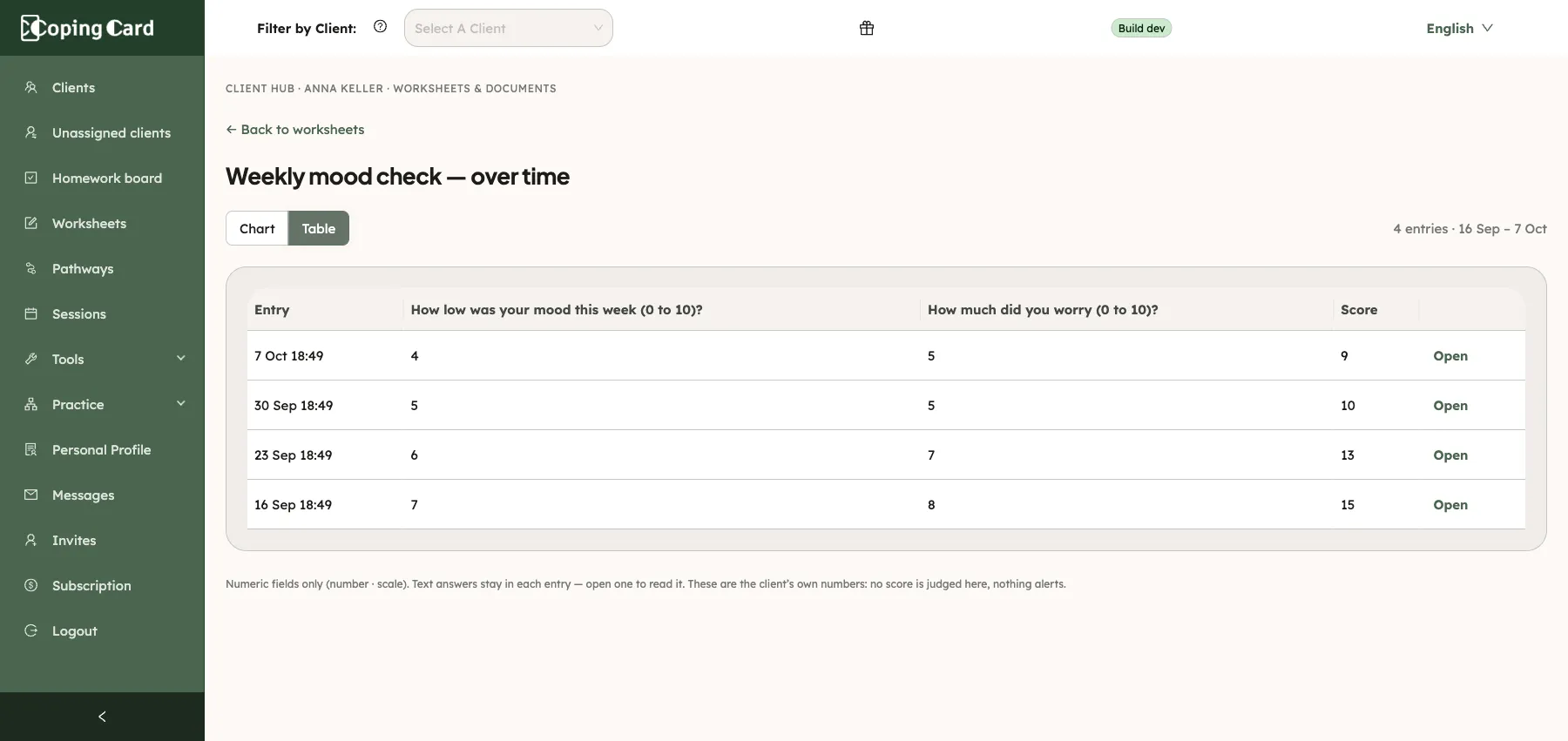
The table has one row for each entry, newest first. Text answers are not in the chart or the table. They stay in the entry, so click Open to read them.
If the worksheet has no entries yet
Section titled “If the worksheet has no entries yet”The page reads Nothing to draw yet, with the date you sent the worksheet. The lines appear after the client sends their first entry.
To go back to the client’s forms, click Back to worksheets.
Who can see it
Section titled “Who can see it”You see the over-time page when you can see the client’s worksheets: see See a client’s worksheets and documents. Entries the client has not sent yet are not drawn.
Related
Section titled “Related”- See a client’s worksheets and documents
- Create a worksheet
- Fill in and send a worksheet (what your client sees)