

Add your own homework
You can add homework for yourself next to the homework your therapist gives you, whether or not you work with a therapist. It goes on the same list and works the same way.
Add homework for yourself
Section titled “Add homework for yourself”- On the Homework list, tap + Add my own.
- Under Kind, tap what it is: task, tool, reading, link or journal.
- In Title, write what you will do.
- If you want, add details in Instructions (optional).
- For a tool, tap the tool under Tool. For a reading, tap the article under Article. For a link, type the web address under Link. For a journal, tap the journal under Journal; to find one by name, type in Search journals.
- Under When, tap No date, Due date or Repeat.
- For a due date, tap the date next to Due and set the day and time.
- For a repeat, tap Daily, Weekly or Monthly. For a weekly one, tap the days of the week. Then set the Time.
- Tap Add to my homework.
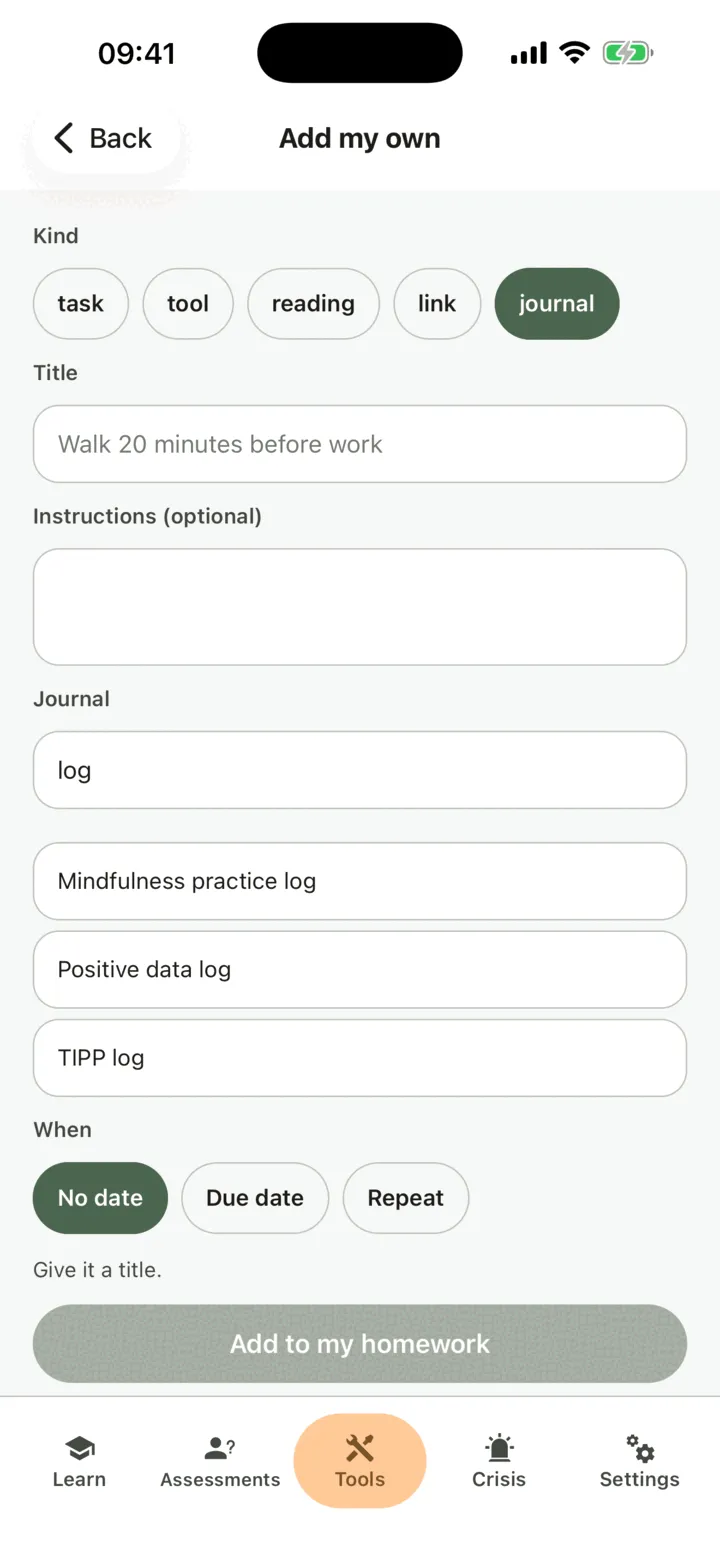
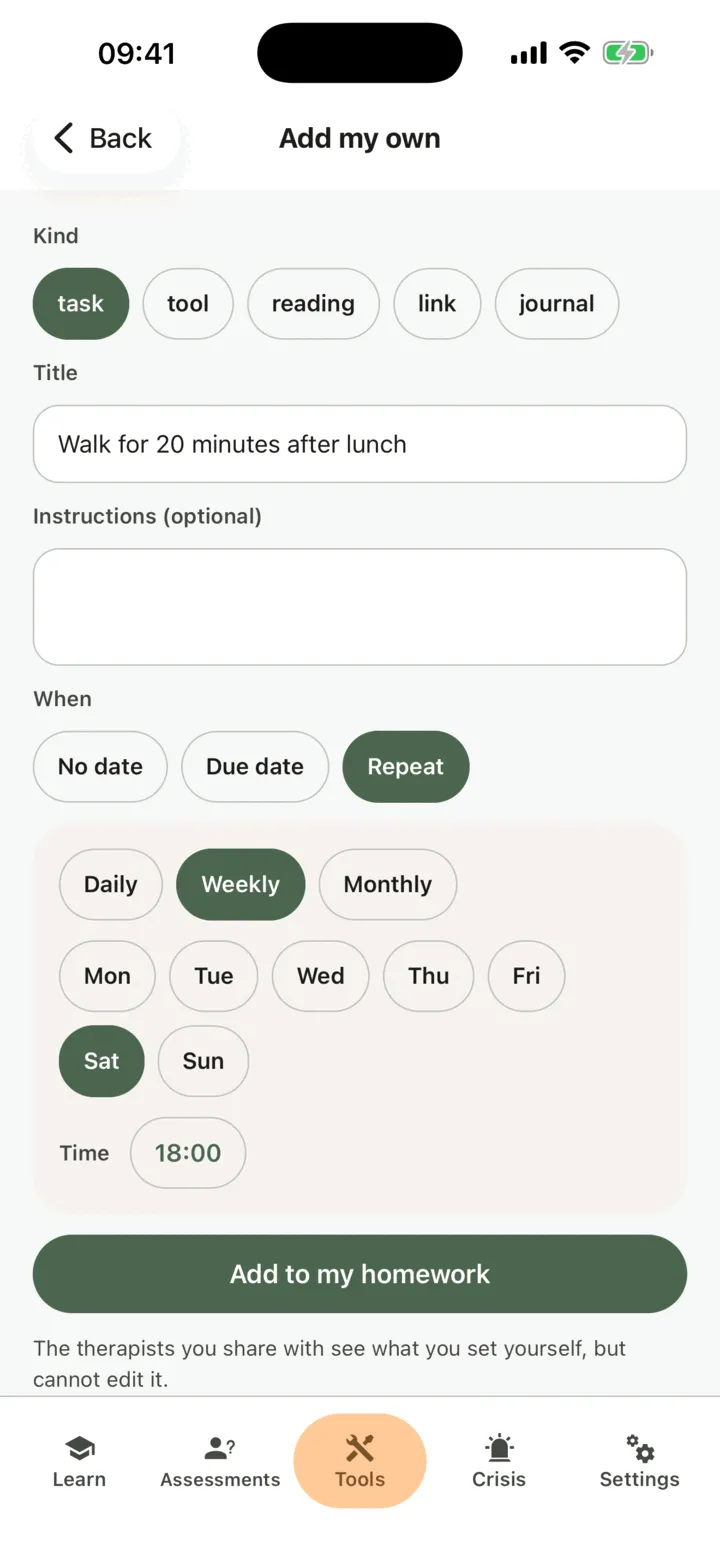
A task has nothing to open: do it your way, then mark it done. You can add a photo to a task, but you do not have to. A tool you add yourself is always done in the app, never on paper. A journal is a CopingCard form you can fill in again and again. If the list under Journal is empty, there are no CopingCard journals yet.
What happens next
Section titled “What happens next”The homework is on your list under To do, marked You. You do it and mark it done like any other homework. See Find and do your homework.
If it has a due date or repeats, CopingCard reminds you when it is due, and again two days later if it is still not done. You can also set your own reminder or add it to your calendar.
You can comment on homework you added yourself. A therapist you allow to view your data can read the comments and reply, and CopingCard tells you of the reply.
Who can see it
Section titled “Who can see it”If you allow a therapist to view your data, they can see the homework you add yourself, and the entries of a journal you add, but they cannot change them. They can only reply to your comments on it. If you allow practice admins to view your data, the admins of your therapist’s practice see them too. While you share with a therapist, the app says so under Add to my homework. If nobody is allowed to view your data, only you see it.